
Find the message in history
Open SMS → Message history. Use the search, status, source and date filters to narrow the list. History includes Web, API and Mobile activity; you can also switch to By recipient.
Review the sender, recipient, timestamp, segments, cost and status. Open the relevant message to inspect its delivery activity. Record its message reference before deciding whether to send again.
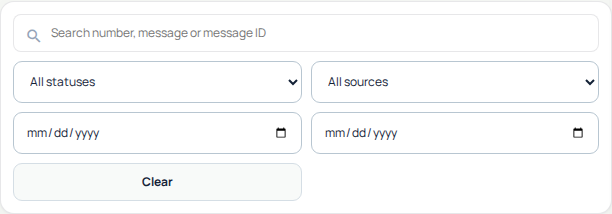
Use the search, status, source and date filters to find the relevant message. This cropped view shows the history controls; recipient details and message contents are outside the capture. Open the image for a larger view.
Read the status in context
Queued
The message is queued for processing. This is not delivery confirmation.
Sent
The send stage has been reported. Check later delivery activity for the outcome.
Delivered
Delivery is reported as successful. This does not mean the recipient read the message.
Failed or delivery not confirmed
Inspect the message’s detailed explanation. A lack of delivery confirmation should not be treated as proof that a recipient read or received it.
Refunded
Review the message’s refund state separately from its delivery outcome. Use the recorded status and billing details rather than assuming every failure has the same billing result.
Do not repeatedly resend while investigating. A new send can create another message and another charge.
Check the next message before sending
- Select an available Sender ID. Use Request Sender ID if you need another identity, and follow its review process.
- Enter recipients in international E.164 format, one per line or separated by commas.
- Review the encoding and segment count shown for your text.
- Select Review SMS to check recipients, availability and exact cost before anything is queued.
- Review the remaining daily allowance and any account restrictions before confirming a send.
Changing the text can change the segment count and cost. Destination and sender requirements also matter; do not assume every combination is available.
For messages sent through the API
Keep the send-response references and inspect the documented status and delivery workflow. The current webhook events are sms_sent, sms_delivered and sms_failed.
Handle duplicate events using the event ID. Follow the current documentation for correlating send responses and delivery events; message and delivery-job identifiers are not interchangeable.
What to send to support
- The message reference, sender and affected recipient.
- The send time and timezone, source (Web, API or Mobile) and reported status.
- The delivery explanation and whether the issue affects one destination or several.
- Relevant segment, quote or charge details when the issue concerns cost.
Use a representative example and omit API keys, passwords and unrelated message contents.
Read delivery and charging separately
A message can fail to reach the recipient after it was accepted for sending. The sending charge can still apply. Read the complete message status and financial explanation rather than treating every failed or unconfirmed delivery as a refund.
- Open SMS history and locate the message using its recipient, date and sending platform. Confirm the exact row before investigating a charge.
- Read the delivery label and explanatory message. Awaiting delivery confirmation or Delivery not confirmed does not establish that the recipient received nothing.
- Read the charge or refund explanation for that same message. A reserved amount, final charge, partial refund and refund still processing are different states.
- If the message needs financial review, retain its reference and allow that state to be reconciled. Do not count a possible refund as money already returned.
- Compare the final message record with the relevant account transaction when a charge remains unclear. Contact Support with the message reference and time rather than resending the SMS.
What the financial wording means
- Reserved: the quoted amount is held while processing continues. It is not a completed refund.
- Charged: the sending charge applies. A failed delivery does not by itself reverse it.
- Partially refunded: some reserved money was returned; the remaining sending charge still applies.
- Refund pending: the return is processing and is not complete yet.
- Refunded: the record reports that the charge was returned.
- Under review: the submission or delivery evidence needs reconciliation; do not assume that the reserved amount has been released.
When checking through the API
The SMS status response can include separate submission_status, delivery_status and charge_status, alongside customer charge and refund amounts. Keep these fields separate in reports. Older records may not have every newer financial field; an absent amount is not proof of a free message.
Do not subtract the same refund twice or multiply a final per-message amount again by segment count. Use the returned amount’s documented meaning. For a batch, reconcile individual message IDs first; the original batch queue cost is not a permanent final statement for every recipient.
Related guides
Reviewed 12 October 2026 against the current IllyVoIP controls, implementation and applicable references. Available options depend on account permissions and service state.