
A FreeSWITCH gateway names the provider connection that your dialplan uses for outgoing SIP calls. Configure it inside the intended Sofia profile, verify registration where required, and create explicit inbound/outbound routing. A registered gateway alone does not make a complete PBX.
This guide is for an administrator of a directly managed FreeSWITCH installation using its XML/Sofia configuration. If FusionPBX owns the system, use the separate FusionPBX guide and its interface; manually editing generated files can be overwritten. Record your installed release and configuration layout before applying examples.
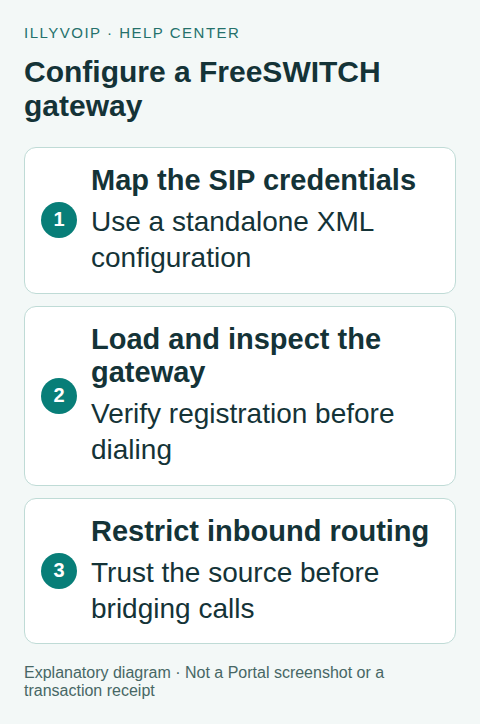
1. Identify the profile and authentication mode
In the standard FreeSWITCH layout, provider gateways commonly live under the external Sofia profile. Your installation can differ, so inspect its includes and loaded profiles. Use the supported configuration directory rather than assuming an operating-system package path.
From Services → SIP Lines, obtain the intended IllyVoIP identity and current server/transport information. This example uses password registration. An IP-authenticated trunk requires its own authorized public-IP setup and normally does not register; do not convert a working trunk just to match this example.
2. Create a protected gateway definition
Use a unique gateway name and an XML file included by the intended Sofia profile. The following is a minimal registration example; every uppercase value is a placeholder:
<include>
  <gateway name="illyvoip">
    <param name="username" value="SIP_USERNAME"/>
    <param name="auth-username" value="SIP_AUTH_USERNAME"/>
    <param name="password" value="SIP_PASSWORD"/>
    <param name="proxy" value="SIP_SERVER_HOSTNAME"/>
    <param name="register" value="true"/>
    <param name="register-transport" value="udp"/>
  </gateway>
</include>
Use UDP only if it matches your chosen connection. A TLS setup also needs the parent profile’s supported TLS configuration and certificate handling; changing this one attribute is not enough. Configure the authentication realm or From-domain only when the actual connection information requires it, keeping those concepts separate from the proxy.
Escape XML-sensitive characters in values, especially & and quotation marks in passwords. Protect the file with permissions that allow the service to read it without exposing it to other users. Do not put credentials in a shell command, public paste or repository.
3. Load and inspect the intended gateway
Use your release’s normal configuration validation/reload procedure. For a new gateway under the standard external profile, the typical administrative commands are:
reloadxml
sofia profile external rescan
sofia status gateway illyvoip
Run these through the authorized FreeSWITCH console, replacing the profile/gateway names if yours differ. A rescan can discover new gateways; an already loaded gateway with changed credentials may require a targeted gateway lifecycle procedure for that release. Do not restart a busy Sofia profile without understanding the effect on active calls.
Read the reported state and registration error. Confirm the selected proxy, authentication identity and transport. A normal challenge followed by registration success is not a failed registration. Keep diagnostic logs private.
4. Route outbound calls from an authorized context
A bridge through the named gateway uses a destination shaped like:
sofia/gateway/illyvoip/VERIFIED_INTERNATIONAL_DESTINATIONPlace the bridge in your existing authenticated user/application context with a deliberately restricted destination rule. Normalize the intended number and apply the account’s permitted caller ID. Do not create an Internet-facing catch-all that takes any received digits and bridges them to the provider.
Confirm codec and media-security compatibility between the extension leg and gateway leg. The current IllyVoIP line settings determine the allowed choices; a codec installed in FreeSWITCH is not necessarily allowed by the line. Ordinary outbound testing can incur charges.
5. Treat incoming routing as a separate configuration
In the vendor’s standard layout, the external profile uses the public context and does not automatically authenticate every inbound request. That makes explicit trust and routing boundaries essential. Restrict accepted inbound traffic through your documented provider/network rules and the supported FreeSWITCH ACL/context design.
Match only your intended incoming number and route it to an approved local extension or application. Do not send arbitrary public-context calls into an outbound dialplan. A header claiming your number is not by itself proof that a caller is a trusted provider.
In IllyVoIP, the active incoming number must also point to the intended SIP destination. Gateway registration, DID assignment and local extension readiness are three separate checks.
6. Test and troubleshoot in order
- Confirm gateway registration or the expected IP-authenticated path.
- Place a call from an authorized local extension to one agreed destination.
- Verify the number sent, two-way audio and clean hangup.
- Call the active DID from another phone and confirm the precise local route.
- Test hold or transfer only if your application requires them.
If outgoing routing fails, inspect the selected context and bridge string before changing credentials. If incoming calls fail, inspect the matched destination and public-context trust rule. If audio fails after answer, compare the negotiated media on both legs.
Keep a private before/after configuration and roll back an ineffective trial. For Support, provide the public call reference, FreeSWITCH release, gateway/profile names, direction and sanitized outcome—not the credential file.
Frequently asked questions
Can I reuse the FusionPBX instructions?
The underlying engine is related, but configuration ownership differs. Use the guide for the system that owns your configuration.
Does a gateway create extensions?
No. Extensions, authentication, dialplan and inbound routing must already be designed for your installation.
Related guides and references
- Connect FusionPBX to IllyVoIP with a SIP gateway
- Connect an Asterisk PJSIP trunk to IllyVoIP
- Official reference: developer.signalwire.com
Reviewed 8 October 2026 using current IllyVoIP implementation and official references. Check your installed version and account options before applying settings. Examples do not certify a physical device or completed live integration.