
Run a FreeSWITCH container on a dedicated Linux host and connect its gateway to IllyVoIP. The important checks are the image’s actual package version, private management binding, persistent data and the gateway after recreation. This guide does not reuse the old upstream Docker example based on Debian Jessie.
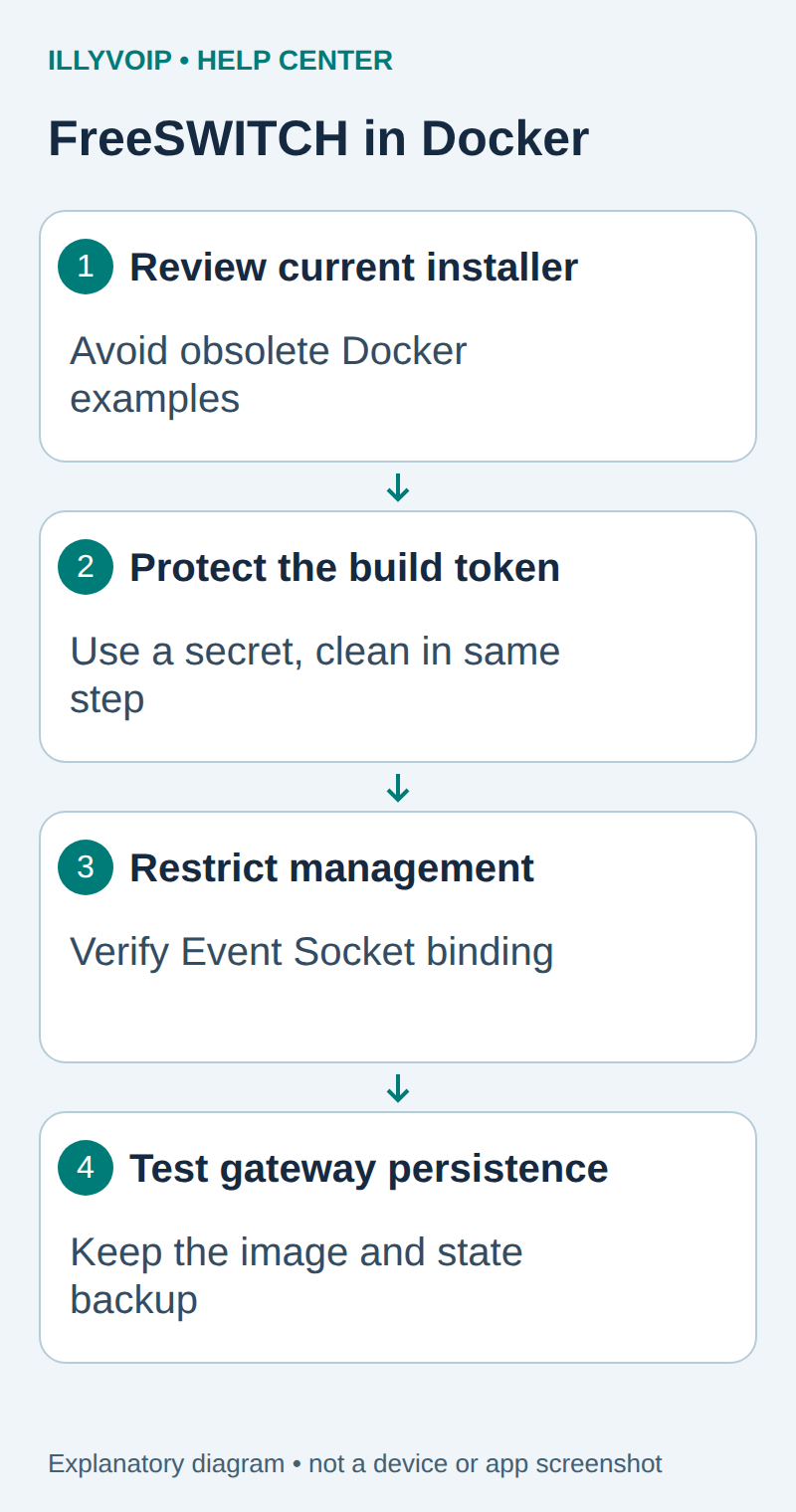
1. Prepare the host and package access
Use Linux Docker Engine with BuildKit and an isolated test host. Check existing listeners with ss -lntup; host networking must not collide with another PBX. Have authorized access to the current FreeSWITCH package repository if using its token-protected installation path.
The repository token is not an IllyVoIP credential. Keep it in a private file outside the build context, readable only by the build operator. Do not pass it as a Docker build argument, commit it or enable shell tracing.
In Services → SIP Lines, select the intended line and read Technical endpoints for the regional hostname, destination port and transport. Keep SIP identity, authentication credentials and Portal login separate. Match the line’s media policy as well as signaling transport; TLS alone does not encrypt RTP audio.
2. Build from a reviewed current installer
Obtain scripts/packaging/fsget.sh from the official FreeSWITCH v1.11.3 source tag, inspect it and place a copy beside the Dockerfile below. Record its hash and resolved source commit. The pinned installer selects current release packages; that does not pin the package version it will install.
# syntax=docker/dockerfile:1
FROM debian:bookworm
ENV DEBIAN_FRONTEND=noninteractive
COPY fsget.sh /usr/local/bin/fsget.sh
RUN --mount=type=secret,id=fs_token,required=true     set -eu;     trap 'rm -f /etc/apt/auth.conf /etc/apt/sources.list.d/freeswitch.sources /etc/apt/sources.list.d/freeswitch.list /usr/local/bin/fsget.sh' EXIT;     apt-get update;     apt-get install -y --no-install-recommends ca-certificates procps;     bash /usr/local/bin/fsget.sh "$(cat /run/secrets/fs_token)" release install;     command -v freeswitch;     command -v fs_cli;     apt-get clean;     rm -rf /var/lib/apt/lists/*
CMD ["freeswitch", "-nf", "-u", "freeswitch", "-g", "freeswitch"]
The credential file and repository configuration are removed in the same build step in which they are created. The secret mount itself is not copied into the image. Review build logs and local cache access as well; do not expose token-containing process diagnostics.
docker build --secret id=fs_token,src=/PRIVATE/PATH/repository-token \
  -t illy-freeswitch:reviewed .
docker run --rm --network none --entrypoint freeswitch \
  illy-freeswitch:reviewed -version
docker image inspect illy-freeswitch:reviewed --format "{{.Id}}"
Replace the token path locally. Record the reported FreeSWITCH/package version and immutable image ID. For repeatable production builds, retain that image and pin the base/package inputs. No repository token or Docker daemon was used on the authoring server, so this build and runtime path still requires your staging validation.
3. Copy and harden configuration while stopped
umask 077
mkdir config
docker create --name iv-fs-seed illy-freeswitch:reviewed
docker cp iv-fs-seed:/etc/freeswitch/. ./config/
docker rm iv-fs-seed
Review the copied sample directory before starting a process. Remove or replace demonstration extensions, passwords and permissive dialplan routes. Confirm the package’s actual data, log, run and recording directories from its configuration; source-built installations may use different paths.
In the Event Socket configuration, bind management to loopback or another deliberately restricted interface and replace the default password. Host networking means that a public listen address exposes the service on the host regardless of Docker EXPOSE declarations. Do not publish Event Socket to the Internet.
4. Add the IllyVoIP gateway and restricted route
Follow the standalone FreeSWITCH gateway guide below for the external-profile gateway, supplied SIP hostname/port/transport and authentication mode. Store its XML in the mounted configuration. Keep incoming traffic in a restricted context and route only approved outbound destinations.
Use the package’s configured service UID/GID to set readable configuration and writable state directories. Preserve database/recording state across container recreation. Do not use a world-writable configuration directory or bake the SIP password into an image.
5. Start and inspect the actual installation
After confirming the Debian package paths, an example start command is:
docker run -d --name iv-freeswitch --network host \
  --mount type=bind,src="$PWD/config",dst=/etc/freeswitch,readonly \
  --mount type=volume,src=iv-fs-data,dst=/var/lib/freeswitch \
  --mount type=volume,src=iv-fs-logs,dst=/var/log/freeswitch \
  illy-freeswitch:reviewed
docker logs --tail 100 iv-freeswitch
Adjust paths only to match verified package configuration. From a private in-container console, use the configured Event Socket credentials to inspect status and sofia status gateway YOUR_GATEWAY_NAME. Do not expose the password through a shared command history to make a health check work.
Check rate and balance before an authorized outgoing test, then confirm two-way speech and clean hangup. Incoming routing and an incoming test are separate. Container health, gateway registration and a completed audio call are three different acceptance results.
6. Recreate and recover deliberately
Stop the test container during an idle window and recreate it with the same retained image, configuration and state volumes. Verify the gateway and application state. Keep recordings under the intended retention/access policy, including any custom recording path outside the standard data directory.
If registration fails after recreation, check missing mounts, ownership and actual package paths before rotating passwords. If an image upgrade fails, retain logs and restore the earlier image/configuration with a compatible state backup. Do not delete volumes as an upgrade step.
Related guides and reference
Current official installer; Current upstream repository build; Docker host networking. IllyVoIP API reference. Reviewed October 11, 2026. Examples are instructional: local checks do not establish a completed paid request, live third-party integration or production PBX acceptance.