
Use Home Assistant’s RESTful Command integration to submit an IllyVoIP SMS from a controlled automation. The command sends a JSON request; your automation still needs to decide when a message is justified, prevent unwanted repeats and distinguish API acceptance from delivery.
You need permission to edit the Home Assistant configuration, an IllyVoIP account with SMS/API access, an eligible sender and an authorized recipient. This is a custom HTTP integration, not a built-in IllyVoIP notification provider. Use it for ordinary notifications; do not make paid SMS your sole emergency alarm path.
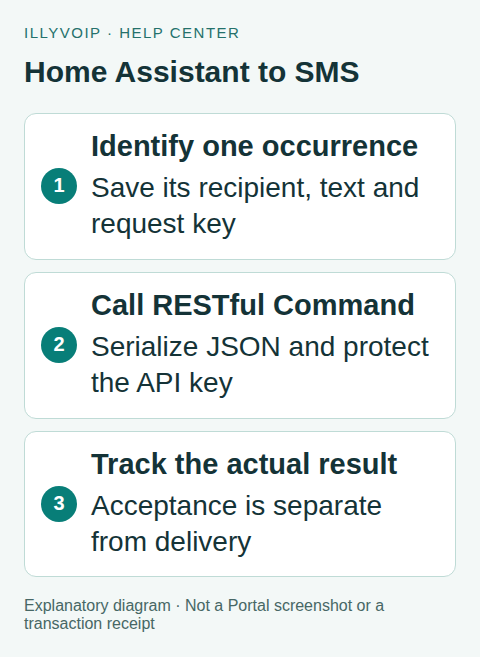
1. Define one intended notification
Choose a narrow event, such as an approved service entering a fault state. Define when that occurrence begins, which recipient receives it and whether recovery deserves a separate message. A sensor’s repeated updates are not necessarily new incidents.
Create a durable event record outside the transient execution of the automation. Store its recipient, final text, sender, stable request key and submission state. For an automatically retried production workflow, a small backend ledger or existing durable notification service should own this record. Home Assistant’s single/queued automation modes and a cooldown are useful volume controls, but do not guarantee deduplication across restarts or other senders.
2. Protect the API key
Put the header value in secrets.yaml and keep that file and its backups private. Do not place the key in a dashboard, URL, notification text or shared configuration example. Home Assistant secrets keep values separate from configuration; they are not a substitute for securing the host and backups.
illyvoip_api_key: "REPLACE_PRIVATELY_WITH_YOUR_API_KEY"The Production endpoint below can send a real billable message. Use a local mock while developing templates, or use the documented Sandbox environment with its own matching URL and key. Never fall back automatically from Sandbox to Production.
3. Add the REST command
In your existing rest_command configuration, add this entry. Merge it with an existing section rather than creating duplicate YAML keys. The variables must come from your claimed notification record:
rest_command:
  illyvoip_sms:
    url: "https://api.illyvoip.com/api/v1/sms/messages"
    method: POST
    headers:
      X-Api-Key: !secret illyvoip_api_key
      Idempotency-Key: "{{ request_key }}"
    content_type: "application/json"
    payload: >-
      {{ {"from": sender, "to": [recipient], "message": message_text} | to_json }}
    timeout: 20
to_json serializes quotes, line breaks and non-ASCII characters correctly. Do not construct the body by concatenating unescaped text. The to field is an array even for one recipient. Choose a sender actually allowed for the destination and use the recipient’s complete international number.
The 20-second timeout is an example client deadline, not a delivery guarantee. A timed-out request may already have been accepted. Validate the configuration and reload REST commands using the action supported by your installed release, or restart Home Assistant as its documentation requires.
4. Call the command and inspect its response
Use a manual or tightly scoped automation action first. This fragment assumes the variables already contain the saved event values; it does not create the durable ledger:
- action: rest_command.illyvoip_sms
  data:
    sender: "{{ saved_sender }}"
    recipient: "{{ saved_recipient }}"
    message_text: "{{ saved_message }}"
    request_key: "{{ saved_request_key }}"
  response_variable: illyvoip_result
RESTful Command exposes the HTTP status, response content and headers. Inspect the returned content according to the SMS API contract. Only mark the event submitted after a successful API result supplies the accepted message reference. Keep that reference for subsequent status checks.
Do not post the complete response or automation trace into a public dashboard. Traces may expose recipients and message text even when the API key lives in a secrets file.
5. Handle errors and repeated triggers
Use one stable Idempotency-Key, 8–128 supported characters, for one unchanged submission. A recovery notification is a separate intended event. Do not generate a new key each time the same automation is retried or the sensor updates.
For a validation or authorization error, correct the cause before attempting another submission. For a timeout or lost response, mark the saved event uncertain and reconcile it using available message/status evidence. A new key and another click can create another paid message. Respect the API’s documented retry behavior and retention limits; a request key is not an unlimited business ledger.
Disable a noisy trigger while investigating rather than letting independent automation runs accumulate sends. If you deliberately want repeated reminders, define each reminder occurrence explicitly and cap its frequency.
6. Test before enabling the trigger
With synthetic data and a mock, test a normal response, rejection, timeout, repeated trigger, recovery event, Home Assistant restart and text containing quotes or accents. Confirm that the stored key and body remain unchanged for the same occurrence.
Then, if authorized to incur the charge, send one message to your own permitted recipient. Check the accepted reference and delivery status separately. Review sender rules, message segmentation and cost before enabling the real trigger. A successful HTTP action means neither that the recipient saw the message nor that the condition was resolved.
Frequently asked questions
Can I use a cooldown instead of a ledger? A cooldown limits frequency but does not reliably reconcile duplicates or unknown outcomes. Keep durable state for unattended sending.
Is a successful action delivery proof? No. Follow the SMS record’s delivery result.
Related guides and references
- Send an SMS with the IllyVoIP API and track delivery
- Build appointment SMS reminders with IllyVoIP
- Official reference: www.home-assistant.io
- Official reference: api.illyvoip.com
Reviewed 9 October 2026 using current IllyVoIP implementation and official references. Check your installed version and account options before applying settings. Examples do not certify a physical device or completed live integration.