
Use Make’s HTTP app to submit an IllyVoIP SMS from an approved event. Build the request from a stored notification record, then save the accepted message ID back to that record. This guide uses a custom HTTP integration rather than a native IllyVoIP app.
You need permission to edit the scenario, access to the required Make HTTP features and an IllyVoIP account with SMS/API access. Make’s module interface and connection controls can vary by version. Use its current HTTP documentation and check your plan before enabling an automatic scenario.
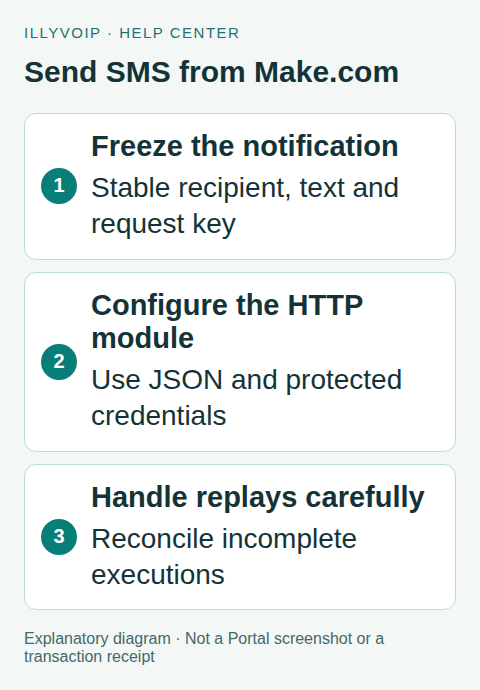
1. Choose one business notification
Start with a narrow event such as a requested service-status update. Have the source application store the final sender, international recipient, message, business-event ID and a unique request key before Make dispatches it.
Use an atomic claim or equivalent durable ownership rule in that source. A scenario filter can decide which records are eligible; it does not by itself stop another scenario or worker claiming the same record. Persist the payload so a replay does not silently use newly edited message text.
Keep one recipient in the initial workflow. If you later iterate over a list, each intended recipient needs its own logical notification identity and recorded outcome. Do not count a bundle’s success as delivery to every recipient.
2. Add the HTTP request module
- Create the scenario with the intended source module and a manual or controlled trigger.
- Add the HTTP app’s Make a request module.
- Choose POST and the fixed API URL below.
- Select the supported JSON body mode, or provide a serialized JSON body with the correct content type.
- Configure response parsing so later steps can inspect the returned object.
https://api.illyvoip.com/api/v1/sms/messagesA Production test can send a real SMS and incur a charge. For initial contract work, use synthetic fixtures or the separate Sandbox environment. Keep the base URL and key paired; do not leave a Production credential in a test scenario.
3. Map the body safely
The resolved body should contain the approved sender, recipient array and text:
{
  "from": "YOUR_APPROVED_SENDER",
  "to": ["YOUR_AUTHORIZED_RECIPIENT"],
  "message": "Your requested update is ready."
}
Use the module’s structured JSON mapping or Make’s JSON tools to serialize dynamic values. If you build a raw JSON string by concatenation, an ordinary quotation mark or newline in the message can break it. Review the resolved request using non-sensitive sample data.
Keep the phone number as text with its country code. Do not map a whole contact object or a numeric spreadsheet value into the recipient. Review text encoding and segment count through the appropriate IllyVoIP workflow before enabling a real message template.
4. Configure the headers and secret
Send Content-Type: application/json, X-Api-Key and Idempotency-Key. Use the HTTP module’s supported secure credential/key mechanism where available, or an approved backend proxy if your organization requires stronger secret isolation. Do not assume every visible header field is hidden from scenario editors or execution history.
Map the idempotency key from the stored notification, not from the current execution time. The current SMS format accepts 8–128 letters, digits, colons, periods, underscores or hyphens. A persisted UUID is suitable; generating another UUID during a replay changes the identity of the operation.
Restrict scenario access and inspect what execution logs retain. Never include the permanent key in a webhook trigger’s data, a public template, exported blueprint or support screenshot.
5. Handle success, rejection and uncertainty
On a successful HTTP/API response, read queued_message_ids and the actual recipient result. For the single-recipient example, retain the accepted message reference and mark the stored notification submitted. Keep invalid numbers and API rejections in a separate correction state.
A timeout or connection loss after submission is uncertain. Do not route every error back to another send. Record the original key/payload and investigate whether the message already exists. An incomplete execution resumed later must still refer to the same logical notification.
Review Make’s error handlers, automatic retries and incomplete-execution settings before activating the schedule. If a retry is appropriate under the API’s current rules, preserve the exact payload and key. Protection within an API replay window is not a permanent deduplication database for a scenario resumed days later.
6. Follow delivery outside the sending step
Use the accepted ID with the documented SMS status API, or process verified delivery webhooks in a separate receiver. Save the delivery outcome against the original notification. Submission success does not prove that a phone received or a person read the SMS.
If a webhook triggers another Make scenario, verify its authenticity before accepting it as an IllyVoIP delivery event. A generic webhook URL alone does not perform the HMAC validation required by the sender’s contract.
7. Test before scheduling
Test JSON quoting, an invalid destination, API rejection, duplicate source events, concurrent claims, an uncertain response and resuming an incomplete execution. Confirm the stored record prevents a second business notification and that sensitive headers do not appear in shared evidence.
Then make one deliberate, authorized Production test if you choose to incur the cost. Check sender availability, current destination access, segments and balance, retain the message ID and inspect delivery. Enable the schedule gradually and watch unexpected volume.
Frequently asked questions
Can I copy the Zapier guide’s settings exactly?
The SMS contract is shared, but Make’s mapping, credential and retry controls differ. Follow this module’s actual interface.
Can I edit the text before replaying the same key?
Not as a retry of the original operation. Reconcile that operation first, then deliberately create a new notification if required.
Related guides and references
- Send SMS from n8n with the IllyVoIP API
- Official reference: apps.make.com
- Official reference: api.illyvoip.com
Reviewed 8 October 2026 using current IllyVoIP implementation and official references. Check your installed version and account options before applying settings. Examples do not certify a physical device or completed live integration.