
SIP 487 Request Terminated often appears when an outstanding call setup is ended before that particular attempt completes. To understand it, follow the original INVITE and the messages that stopped it. A 487 line alone does not prove a network outage or that the called person pressed Reject.
This guide is for administrators reading a phone/PBX log for a call involving IllyVoIP. It focuses on call setup cancellation. A call that answers and then drops needs a different investigation of the established call and its teardown.
1. Start with the user's actual outcome
Ask what happened: did the caller stop ringing, did another device answer, did an application reach its timeout, or did the phone display an error without a deliberate hangup? Record the time and timezone, selected identity and public call reference from Call Reports when available.
Keep the displayed final outcome separate from the raw SIP code. One user action can produce several call legs, and a code on an unused leg does not necessarily describe the leg that connected.
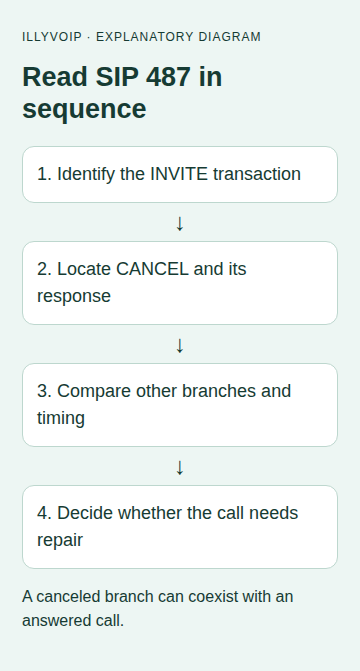
2. Match the INVITE transaction
Use a short authorized SIP trace. Find the initial INVITE for the affected attempt and follow its Call-ID, CSeq and branch information. Record the direction and capture point. Two messages shown next to each other in a busy log may belong to different calls.
In an illustrative cancellation sequence, the caller sends INVITE, receives provisional progress, then sends CANCEL before the INVITE has completed. The CANCEL transaction can receive its own successful response while the original INVITE receives 487. The acknowledgements belong to their respective transactions. This example is a protocol explanation, not a captured IllyVoIP call.
If the log omits the request or the other direction, do not conclude that no cancellation happened. Check capture location, filtering and whether TLS requires an endpoint SIP log instead of an undecoded packet capture.
3. Identify what initiated cancellation
| Evidence | Interpretation to investigate |
|---|---|
| Caller hangup followed by CANCEL | The caller ended the pending attempt. |
| Application timer expired first | The application may have canceled its pending operation. |
| Another ringing branch answered | An unused branch may have been canceled normally. |
| No matching CANCEL in this capture | The trace may be incomplete or a different termination path needs investigation. |
Identify the system that sent the cancellation on the observed leg. A PBX can act on an earlier event elsewhere, so its sending CANCEL does not automatically make the PBX faulty.
4. Check for an answered branch or a race
If several phones ring, compare the winning branch with the canceled branches. Do not replace a successful overall call outcome with an error merely because one unused branch ended with 487.
Answer and cancellation can cross in flight. An application must follow the final call state and dispose of an answered channel through the appropriate established-call handling; it cannot assume that a previously sent CANCEL guarantees no answer occurred. For an IllyVoIP Voice API integration, follow the existing call-control status and identifiers rather than interpreting an isolated PBX log as the API's final state.
5. Review timers without changing everything
Compare the caller's waiting time, PBX ringing timeout and application deadline. Look for an actual timeout event that precedes cancellation. A repeatable elapsed duration is a clue, not proof of a firewall problem.
Do not increase every SIP timer or disable firewalls to remove 487 from a log. If your own application stops too early, adjust only the policy responsible for that authorized call and test its cleanup behavior. Preserve a maximum wait so abandoned calls do not continue indefinitely.
6. Correlate Portal records carefully
Use IllyVoIP Call Reports to locate the same attempt by time, direction and public reference. Review the displayed answer/duration/outcome independently. A SIP Call-ID may differ from the public Portal reference; provide both when you have them.
Do not infer a refund or a billing defect from 487. Billing depends on the actual completed call evidence and account records. If there is a discrepancy, send the specific record and trace interval to Support instead of treating every canceled branch as a disputed call.
7. Validate and share a minimal case
If needed, make one authorized call to a destination you control and deliberately cancel while it is still ringing. Compare the observed sequence with the original symptom, noting that real calls may incur charges if answered. Do not run an automated redial loop.
For Support, include the symptom, timestamp/timezone, capture point, public reference, Call-ID, whether another leg answered and the relevant timer or user action. Keep original logs private and stop logging when finished.
Common questions
Is487 always an error to fix? No. It can be the expected result for an attempt that was no longer needed.
Does487 mean the recipient declined? Not by itself. Establish the cancellation/termination sequence and receiving-system evidence.
Should my application retry immediately? No. Determine whether the user canceled intentionally or another leg connected before creating another paid call.
Related guides and official references
Reviewed 9 October 2026 against current IllyVoIP implementation and the linked sources. Use your account’s available options and installed software version. Local example checks do not establish a completed live call, delivered SMS or certified third-party integration.