
Add a web preference link to an application that sends SMS through IllyVoIP. Your application records the recipient’s choice and checks it before later submissions. This does not claim native STOP processing, inbound SMS support or an undocumented IllyVoIP unsubscribe endpoint.
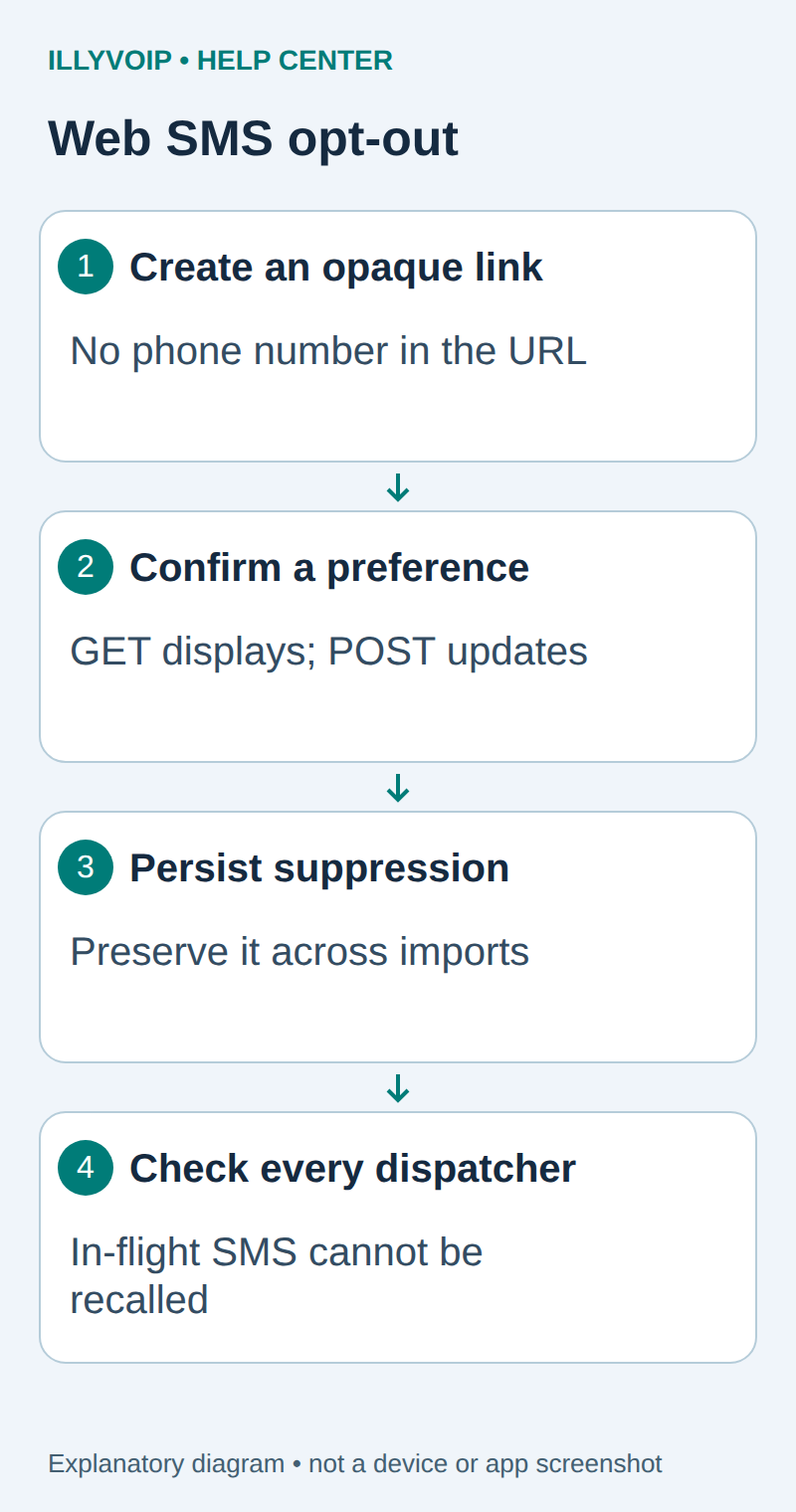
1. Define the preference scope
The SMS API sends when your worker calls it. Scheduling, business-event checks and suppression belong to your application; this guide does not add undocumented scheduling fields to IllyVoIP.
You need an IllyVoIP account permitted to use the relevant API, sufficient balance for paid operations and an API key. In the Portal, open Account settings → Developer tools and follow its verification prompts. Keep the key in your server’s secret configuration as ILLYVOIP_API_KEY, outside source control and shared documents. Read-only catalog and reporting requests are different from paid speech generation or SMS submission.
Choose what opting out means: all messages sent by this application, or a clearly described purpose. Apply that scope consistently across every dispatcher that can send those messages. A preference flag that only one worker reads will not protect jobs sent by another integration.
Use the same normalized international phone identity as the sending system and account for recipient changes. Do not silently restore permission when a contact import updates a name or phone record. Re-enabling requires a separate deliberate preference decision.
2. Create an opaque private link token
Generate a high-entropy random token on your server and associate it with the recipient and preference scope. Store a hash of the token for lookup where practical. Avoid putting the phone number, email or customer ID directly into the public URL.
import hashlib, secrets
raw_token = secrets.token_urlsafe(32)
token_hash = hashlib.sha256(raw_token.encode("ascii")).hexdigest()
# Store token_hash with the recipient/scope privately.
# Send raw_token only inside the recipient's HTTPS preference link.
The token is a bearer capability: someone holding it can reach that preference flow. Keep tokens out of analytics, application logs and third-party page assets. Use HTTPS and a restrictive referrer policy. Decide how expired or replaced tokens give the recipient a usable support path without revealing account existence.
3. Show confirmation on GET; change state on POST
Opening the link should show a small page describing the preference and an explicit confirmation button. It should not immediately mutate state: security scanners and link-preview services may follow SMS links automatically.
- Validate the token and display only minimal masked recipient information.
- Create the appropriate short-lived session/CSRF protection for the form.
- On POST, validate the token, scope and anti-forgery controls again.
- In a transaction, set the scoped suppression flag and record the time/reason.
- Return an unambiguous confirmation. Repeating the same valid POST should leave the same suppressed state.
Do not require the recipient to reveal a Portal API key or sign into an unrelated administrator account. Avoid redirecting to arbitrary URLs provided in query parameters.
4. Make every worker respect the saved choice
Cancel pending jobs within the suppressed scope and check suppression again immediately before dispatch. Use the database’s transaction/locking design to coordinate a final check with claiming the job. Do not hold a global database lock open across a slow network request.
Keep the unavoidable boundary clear: a request already in flight or accepted by IllyVoIP may still deliver after the recipient clicks. Record the dispatch and opt-out timestamps so you can explain that case. Suppression blocks future submissions; it does not recall a message already submitted.
| Item | Meaning or action |
|---|---|
| Pending job | Cancel or skip before dispatch. |
| Claimed but not submitted | Recheck the current suppression revision. |
| Attempting/uncertain | Reconcile the original outcome; do not reset it for another send. |
| Accepted | Retain its delivery history; do not claim it was recalled. |
| Later import | Preserve the suppression preference. |
5. Test links, concurrency and privacy
Test a preview GET, explicit POST, repeated POST, expired/unknown token, cross-site form attempt and two workers racing with a preference change. Verify that a disabled recipient cannot be sent by an alternate workflow using the same application.
Use synthetic recipients and a mocked send function first. Inspect logs for token or phone-number leakage and ensure that the confirmation page does not load unnecessary third-party tracking.
Operate the preference flow
Monitor application errors through your normal operational process and provide a support route when a link fails. Document which integrations read this suppression list. An IllyVoIP delivery receipt says what happened to a submitted SMS; it does not replace your preference ledger.
This is a technical web-preference design, not a universal compliance checklist. Decide the appropriate messaging policy for your service and audience separately. If you need replies such as STOP, first confirm an actual supported inbound channel and implement that path deliberately.
Related guides and reference
OWASP CSRF prevention. IllyVoIP API reference. Reviewed October 11, 2026. Examples are instructional: local checks do not establish a completed paid request, live third-party integration or production PBX acceptance.