
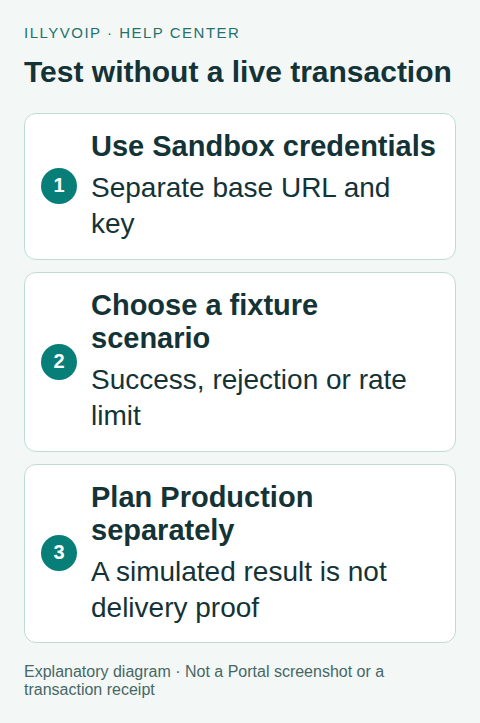
Use the IllyVoIP API Sandbox to exercise request formatting and response handling without sending real messages, placing calls or ordering numbers. Select the Sandbox environment in the API page and use its own base URL and credential.
Sandbox is a stateless simulation. It can help you check an integration contract, but it is not a persistent copy of your account or proof that a real recipient will receive an SMS. Only the sandbox credential is retained; simulated resource changes are not saved as real or lasting orders, calls or messages.
1. Select the environment before copying a key
Open the Portal’s API documentation and use the environment selector to choose Sandbox. Check the displayed connection base URL:
https://sandbox-api.illyvoip.comUse the Sandbox key controls available to the account owner. Creating or regenerating a key changes that environment’s credential; do not regenerate one that other developers already use merely to reveal it. Follow the account’s verification prompts where required.
Keep Sandbox and Production secrets in separately named configuration entries. A sandbox request still uses X-Api-Key, but a Production key is not the Sandbox key. Do not change only the hostname while leaving an unrelated credential in place.
2. Make a read-only first request
The example below uses cURL and your privately supplied sandbox key. It lists the demonstration phone-number countries. It deliberately pins the Sandbox hostname:
curl --silent --show-error --fail-with-body 'https://sandbox-api.illyvoip.com/api/v1/dids/catalog/countries' -H "X-Api-Key: ${ILLYVOIP_SANDBOX_KEY:?Set the Sandbox key}" --output sandbox-countries.jsonInspect both HTTP status and JSON. The current response has a success status and countries under data.countries. Read actual returned identifiers rather than copying production inventory into a simulation. A sample country or quantity is not a statement about current Production stock or pricing.
The same request can be run from the Sandbox Playground. Check the environment and request preview each time, especially after switching back from Production. The Production Playground can perform real actions.
3. Exercise explicit failure scenarios
Use the scenario selector offered by Playground or the endpoint’s documented X-Illyvoip-Sandbox-Scenario header. For the country-list endpoint, rate-limited is an advertised scenario:
curl --silent --show-error 'https://sandbox-api.illyvoip.com/api/v1/dids/catalog/countries' -H "X-Api-Key: ${ILLYVOIP_SANDBOX_KEY:?Set the Sandbox key}" -H 'X-Illyvoip-Sandbox-Scenario: rate-limited' --dump-header sandbox-error-headers.txt --output sandbox-error.jsonHere the error body is intentionally retained. Check its HTTP status, structured error and any documented retry information. The valid scenarios differ by endpoint; read that endpoint’s current Sandbox OpenAPI rather than sending an invented scenario everywhere.
Build tests for success, validation failure, authorization failure, throttling and temporary unavailability as relevant. Do not classify every JSON response as success merely because it parsed.
4. Understand sequences in a stateless environment
You can follow the documented demonstration catalog, quote a selected product and inspect a simulated order response. A later list request is based on the scenario’s fixture, not a saved database mutation from the earlier request. Do not write a test that expects a simulated purchase to permanently reduce inventory.
Keep each returned response with its scenario when debugging. Use the documented example identifiers where a scenario expects them. For tests that need a persistent multi-step business history, maintain that history in your own local test harness rather than treating Sandbox as a production-like datastore.
5. Know which real behaviors need separate acceptance
- SMS: no real message or delivery receipt is produced by a simulated send.
- Voice: no real telephone rings and no carrier/audio path is exercised.
- Speech: fixture audio/text is not actual synthesis or transcription of your submitted content.
- Browser calling: simulated authorization responses do not register a real browser phone or prove microphone/audio behavior.
- Webhooks: Sandbox is not a live event-delivery service for testing internet reachability of your receiver.
Use local signed-event fixtures to test webhook verification and duplicates. Reserve real media, delivery, account eligibility and destination checks for an explicitly controlled Production test.
6. Move to Production with a deliberate checklist
Keep an explicit environment setting rather than falling back to Production after a Sandbox error. Replace the base URL and key together, remove Sandbox-only scenario headers, and review recipients, number products, current prices and account permissions.
Run a read-only Production request first. Before a paid test, check the exact operation and obtain your organization’s authorization. Begin with one intended transaction and reconcile its real status. A successful simulated order or message is not authorization to submit it to Production.
Frequently asked questions
Can I use real customer records in Sandbox?
Use synthetic examples wherever possible. Simulation does not make unnecessary disclosure of personal information useful or appropriate.
Does a passing Sandbox test guarantee delivery?
No. It confirms only the behavior exercised by the fixture and your code. Production account access, destination availability, network behavior and actual outcomes still require their own checks.
Related guides and references
- Api and webhooks quick start
- Official reference: sandbox-api.illyvoip.com
- Official reference: illyvoip.com
Reviewed 8 October 2026 against current IllyVoIP source and official documentation. Configuration examples are not evidence of a completed hardware or live integration test. Use the current options and limits available to your account.