
Use Postman to inspect and test individual IllyVoIP API requests while keeping credentials separate from exported collections. Start with a read-only operation and review the method, base URL and body before sending anything that changes data or incurs charges.
This guide follows the current Postman interface and its OpenAPI/Local Vault documentation. Menu names can differ in older releases. You need authorized access to the account’s API key; being allowed to read Portal documentation does not automatically grant access to the owner’s credentials.
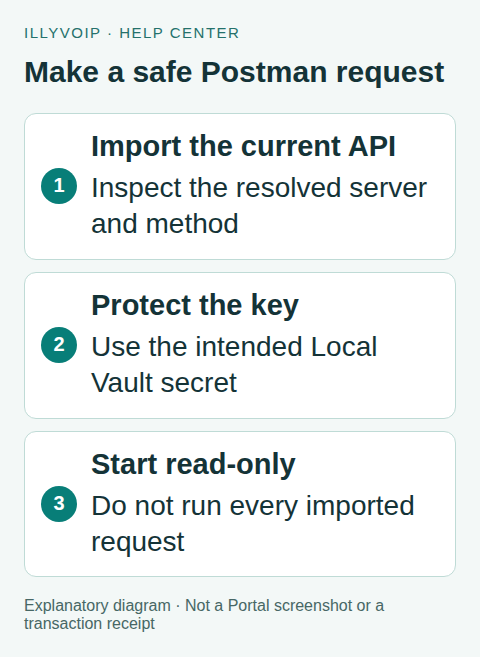
1. Import the current specification
Download the current public IllyVoIP OpenAPI YAML from the official reference linked below. In Postman, choose Import and use the file or its official URL. Review the imported specification and generate a collection if your interface imports it into Spec Hub first.
The specification is OpenAPI 3.0.3 and its default server is Production, https://api.illyvoip.com. Importing it does not make the requests simulated or free. The collection includes operations that send SMS, place calls, modify contacts or order/cancel numbers.
Keep the import date with the collection. When refreshing it, compare changes with any local tests rather than assuming a previously edited collection still matches the current contract.
2. Create separate environments
Use a clearly named Production environment with a base_url variable. If you also use Sandbox, create a separate environment with the exact Sandbox URL and corresponding key from the Sandbox documentation. Do not reuse the Production URL with a Sandbox label.
Inspect the imported URL variables; Postman may generate names different from yours. Update the individual request deliberately so its resolved URL matches the intended environment. An environment name on the screen is not proof that every request uses its variables.
Never configure automatic fallback to Production after a failed Sandbox request. Keep paid and destructive requests outside any collection run used for routine smoke testing.
3. Store the key in Local Vault
Open Vault → Local Vault and follow Postman’s instructions for creating/unlocking the local vault. Store the API key under a descriptive secret name, such as illyvoip-production-key. Preserve the vault key through your approved password-management process.
Use the secret reference as the X-Api-Key header value:
{{vault:illyvoip-production-key}}Current Postman documentation distinguishes Local Vault and Shared Vault. The local vault’s no-cloud-sync property does not apply to every shared-secret feature. Check which one you are using and review feature support before trying scheduled or cloud execution.
A key hidden by the interface can still be exposed through your scripts, copied diagnostics or an export if you put a literal value elsewhere. Inspect headers, environment values and logs before sharing a collection. Do not paste the permanent key into the URL.
4. Make a read-only first request
- Create or select
GET /api/v1/sip/identities. - Set the request URL to
{{base_url}}/api/v1/sip/identities. - Set one
X-Api-Keyheader using the correct vault reference. - Use
Accept: application/jsonand no request body. - Inspect the resolved host and method, then send that one request.
The response lists the account’s available SIP identities and their supported actions. Keep those identifiers private. A successful list request establishes this read operation’s access; it does not prove every paid endpoint is enabled or that a phone is registered.
If the request fails, record the HTTP status and safe error code. Check the selected environment, vault availability and header without printing the key. A 401/403 is not a reason to regenerate credentials blindly.
5. Add a small response check
In the request’s post-response tests, validate only the actual contract you need. This example checks a successful identities response without printing its contents:
pm.test("Identities request succeeded", function () {
  pm.response.to.have.status(200);
  const body = pm.response.json();
  pm.expect(body.status).to.eql("success");
  pm.expect(body.identities).to.be.an("array");
});
Keep synthetic example responses for error cases. Do not export real identity records or use a test script to launch a paid follow-up request automatically. A passed assertion is limited to the response it examined.
6. Test a mutation only deliberately
Before a send, purchase, cancellation or data update, review its prerequisites, supported fields, current account permissions and consequences. Replace placeholders with references returned for your own account. Use the dedicated article for that operation.
For SMS, preserve the intended body and request key across a permitted retry. For other operations, do not assume the same idempotency header gives an exactly-once guarantee. A lost HTTP response needs reconciliation, not an immediate second click with new identifiers.
Do not run the entire imported collection against Production. A collection runner can execute valid requests with real consequences even when your only intention was to “check the API.”
7. Share a safe collection
Remove literal secrets, real recipient numbers, order IDs, private response examples and sensitive console output. Keep placeholders and a short setup explanation. Check both the collection and environment export; exporting one safely does not sanitize the other.
For Support, provide the operation, time, environment name, HTTP status and sanitized response/reference. Keep the key in its private store.
Frequently asked questions
Does OpenAPI import create a Sandbox? No. It imports the API definition; environment selection is separate.
Can Local Vault be assumed available to every runner? No. Check Postman’s documented feature support before choosing a runner.
Related guides and references
- Start with the API, Playground and webhooks
- Official reference: learning.postman.com
- Official reference: learning.postman.com
- Official reference: api.illyvoip.com
Reviewed 9 October 2026 using current IllyVoIP implementation and official references. Check your installed version and account options before applying settings. Examples do not certify a physical device or completed live integration.