
Run an Asterisk PBX in a Linux Docker container and connect its PJSIP trunk to IllyVoIP. This guide covers image selection, configuration persistence, host networking and restart checks. Use the existing PJSIP trunk guide for the account and dialplan itself.
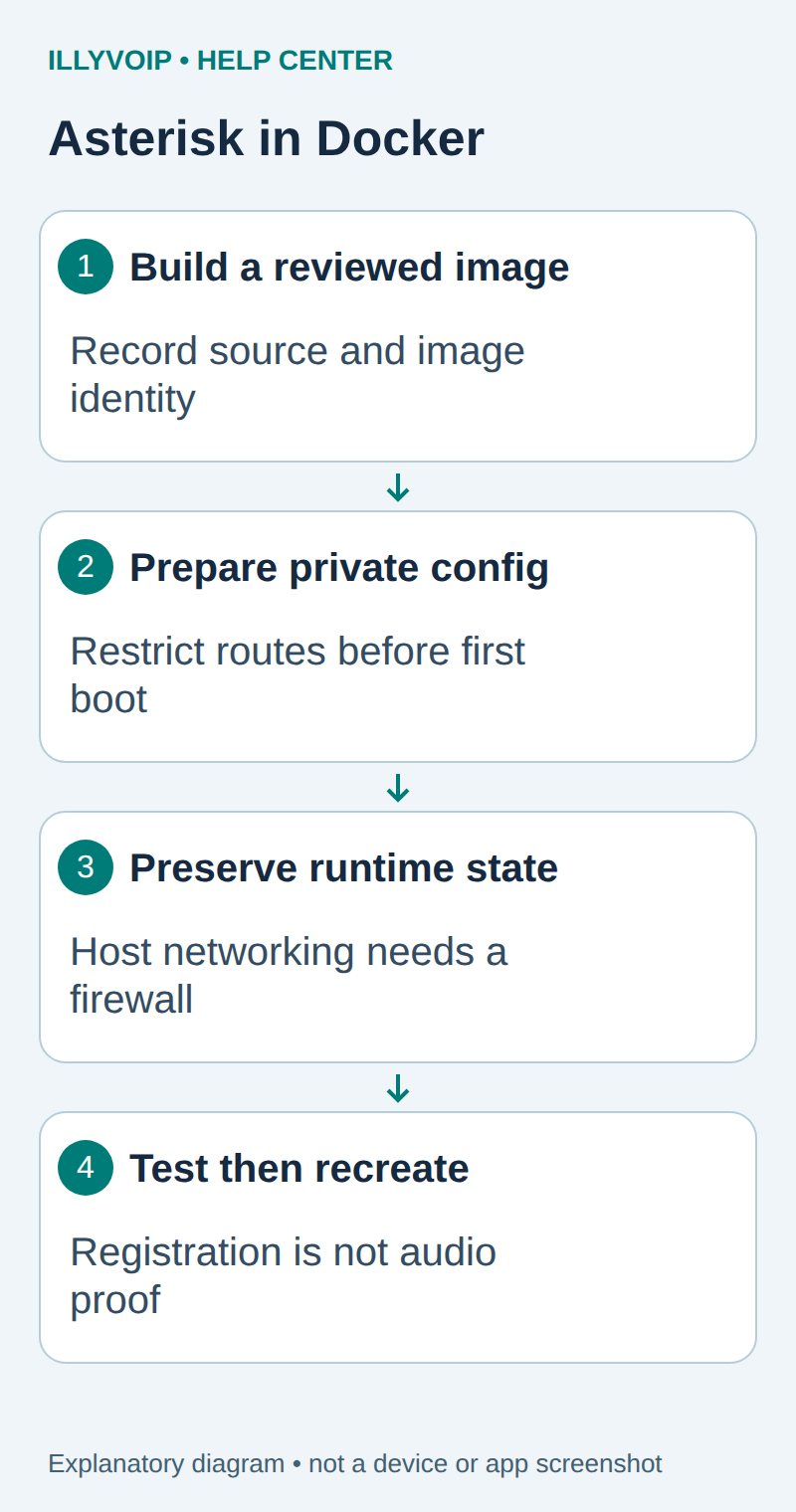
1. Choose an isolated Linux host
You need a Linux Docker Engine host, administrator access and a separate test SIP line. Do not run this host-network example on a production telephony server with conflicting SIP or RTP listeners. Inventory current listeners with ss -lntup, then choose a maintenance-safe test environment.
Host networking shares the host’s network namespace. Docker port-publishing flags do not restrict it. Enforce exposure with the host/network firewall and the PBX’s actual listen configuration. Keep AMI, ARI, HTTP and management access disabled or restricted unless your integration explicitly needs them.
In Services → SIP Lines, select the intended line and read Technical endpoints for the regional hostname, destination port and transport. Keep SIP identity, authentication credentials and Portal login separate. Match the line’s media policy as well as signaling transport; TLS alone does not encrypt RTP audio.
2. Build and record your own image
This illustrative Dockerfile builds Asterisk 23.5.0 from its official source tag. Review the release and dependency policy for your environment before using it. Save it in a new directory as Dockerfile; it does not embed SIP credentials.
FROM debian:bookworm
ENV DEBIAN_FRONTEND=noninteractive
RUN apt-get update && apt-get install -y --no-install-recommends     ca-certificates git build-essential pkg-config     && rm -rf /var/lib/apt/lists/*
WORKDIR /usr/src
RUN git clone --depth 1 --branch 23.5.0     https://github.com/asterisk/asterisk.git asterisk
WORKDIR /usr/src/asterisk
RUN contrib/scripts/install_prereq install     && ./configure --with-pjproject-bundled     && make menuselect.makeopts     && menuselect/menuselect --disable BUILD_NATIVE menuselect.makeopts     && make -j2 && make install && make samples
RUN groupadd --system asterisk     && useradd --system --gid asterisk --home-dir /var/lib/asterisk asterisk     && mkdir -p /var/run/asterisk /var/spool/asterisk /var/log/asterisk     && chown -R asterisk:asterisk /var/lib/asterisk /var/run/asterisk        /var/spool/asterisk /var/log/asterisk
CMD ["asterisk", "-f", "-U", "asterisk", "-G", "asterisk"]
The sample configuration is installed only inside this new image so it can be inspected before first boot. Do not run make samples over an existing PBX configuration. Dependency packages and the Debian tag can move: for reproducible production builds, pin the base digest and package snapshot, record the resolved Asterisk commit, and retain the resulting image.
docker build -t illy-asterisk:reviewed .
docker image inspect illy-asterisk:reviewed --format "{{.Id}}"
The build was source-reviewed for this guide, not executed in a Docker daemon on the authoring server. A successful local build and staging boot are required on your selected architecture before use.
3. Prepare persistent configuration before first boot
Create a stopped container and copy its sample configuration into a private directory. A stopped container does not start Asterisk or register a line.
umask 077
mkdir config
docker create --name iv-ast-seed illy-asterisk:reviewed
docker cp iv-ast-seed:/etc/asterisk/. ./config/
docker rm iv-ast-seed
Review and replace the sample pjsip.conf and extensions.conf with the narrow configuration in the IllyVoIP PJSIP trunk guide. Use only the required endpoints, identify rules and restricted contexts. Default demonstration dialplans are not a production access policy.
Check the image’s asterisk UID/GID and make the private configuration readable by that identity. Preserve writable database, spool and log locations separately. Do not put secrets in image layers, a public Git repository or a docker run command line.
4. Start with explicit mounts
After reviewing the configuration and firewall, start the container with the private configuration mounted read-only and durable runtime volumes:
docker run -d --name iv-asterisk --network host \
  --mount type=bind,src="$PWD/config",dst=/etc/asterisk,readonly \
  --mount type=volume,src=iv-ast-data,dst=/var/lib/asterisk \
  --mount type=volume,src=iv-ast-spool,dst=/var/spool/asterisk \
  --mount type=volume,src=iv-ast-logs,dst=/var/log/asterisk \
  illy-asterisk:reviewed
Use only volumes created for this installation. Inspect ownership if startup reports a permission error; do not solve it with world-writable directories or privileged mode. Add resource limits and log rotation appropriate to your measured workload before sustained use.
5. Check the process and the trunk separately
docker logs --tail 100 iv-asterisk
docker exec iv-asterisk asterisk -rx "core show version"
docker exec iv-asterisk asterisk -rx "pjsip show registrations"
A running container proves neither registration nor audio. Verify the expected trunk, restricted inbound context and intended outgoing route. Check destination rate and balance before one authorized call, then verify two-way audio and clean hangup. Configure incoming-number routing separately and test that path only when intended.
For NAT or encryption, use the actual network topology and current IllyVoIP endpoint details. Do not copy an arbitrary public IP, RTP range or TLS port from a different installation.
6. Verify recreation and keep a rollback
During an idle test window, stop and recreate only this container using the same approved image, mounts and volumes. Confirm configuration, registrations and retained state. Do not remove volumes to update an image. Back up persistent data using a method consistent with Asterisk’s database state.
For an upgrade, retain the earlier image ID, configuration and state backup, then validate schema/configuration compatibility before cutover. If startup fails, keep the failing logs and restore the known image/configuration deliberately. A restart policy should be added only after you understand failed-start behavior and port conflicts.
Related guides and reference
Asterisk source installation; Docker host networking. IllyVoIP API reference. Reviewed October 11, 2026. Examples are instructional: local checks do not establish a completed paid request, live third-party integration or production PBX acceptance.