
Request cancellation through the IllyVoIP API only after identifying the exact order and understanding its current state. For an active number, the current workflow schedules cancellation at the end of the billing cycle. Eligible pending orders use a different cancellation path.
This guide is for an authorized account-owner backend integration. Cancellation can eventually remove the number and interrupt incoming services. It is not a routine connectivity test, an immediate refund request or a guarantee that the number can be recovered.
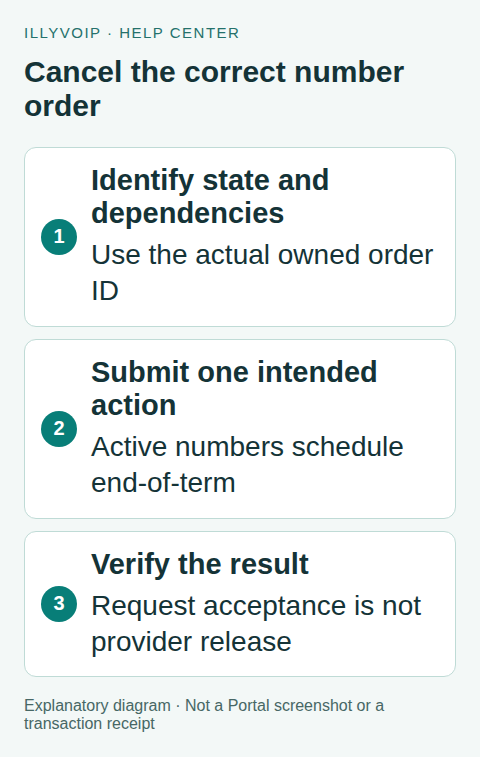
1. Find the owned order
Use GET /api/v1/dids/orders with the account’s X-Api-Key. The current response groups orders into active, pending, cancelled and rejected lists. Identify the exact number/order and retain its returned order_id reference as documented by the response. Do not substitute a catalog product ID, SIP identity or number from another account.
Read its status and available renewal/cancellation information. Compare with Services → Phone Numbers if the intended action is unclear. An order awaiting documents, an active number and an already scheduled cancellation are different states.
Keep the selected number visible to the authorized operator in your confirmation flow. A hidden stale ID in a browser form is not enough to establish which service the operator intends to cancel.
2. Check dependencies before confirming
Review where incoming calls currently go: a SIP line, external destination, queue, voice flow or API-controlled application. Notify the responsible team through your normal process and arrange any necessary service transition before the number ends.
Do not assume cancelling a phone number also removes its SIP line, deletes contacts or stops an unrelated subscription. Those are separate resources. Conversely, keeping the SIP line active does not preserve ownership of a released phone number.
Read the current cycle/renewal information and the confirmation text. Retain a private record of the intended action and operator approval. Do not build a bulk-cancellation job from an unreviewed CSV or a single filtered list.
3. Understand the state-specific behavior
Active number: the canonical lifecycle schedules end-of-term cancellation and turns off auto-renewal. The effective timing follows the order’s cycle information and supported lifecycle processing; an accepted request is not immediate provider release.
Eligible non-active order: the workflow queues cancellation of the request/reservation. Completion can require processing afterward.
Already requested or cancelled: the response can explain that the action has already been requested or completed. Preserve that result instead of treating it as a new purchase opportunity.
Unavailable state: some states, including disabled activation states, can reject cancellation through this operation. Investigate the state and requested action rather than repeatedly submitting the same request.
4. Submit one deliberate request
POST to https://api.illyvoip.com/api/v1/dids/orders/cancel with JSON content type and the account key. Replace the example ID with the actual owned order:
{
  "order_id": 123
}
Keep the API key on the backend. Your application should validate that the authenticated operator may manage that order and require a clear confirmation before calling this endpoint. Do not send a request merely because the order appears in a list.
The public reference summarizes cancellation as stopping renewals and releasing the number. The current implementation’s state-specific timing matters: active service is scheduled to end, while a pending reservation follows its cancellation queue. Read the returned message instead of presenting every HTTP success as “number released now.”
5. Verify the resulting state
Save the HTTP status, safe response message, order reference and time. Re-read the owned order and compare its cancellation/renewal information with the intended action. Where useful, inspect the same number in the Portal.
For an active number, continued service before the scheduled expiry is not by itself proof that cancellation failed. For a pending order, a requested/processing state is not the same as completed provider release. Follow the current order state rather than repeatedly clicking cancel to force a faster transition.
Do not promise a refund or a fixed release deadline from this response. Billing adjustments and provider completion are separate matters. If the displayed state conflicts with the response, retain the evidence and contact Support.
6. Handle a timeout without guessing
A lost response may occur after the service recorded the cancellation. Mark the result uncertain in your application and refresh the existing order. Check for an already requested or scheduled cancellation before considering another action.
Do not create a replacement order to resolve uncertainty, and do not assume a familiar idempotency header gives this endpoint an unlimited exactly-once guarantee. The lifecycle has its own state checks; your application must still reconcile what happened.
If the state cannot be determined, give Support the safe order reference, time and response/error details. Keep identity documents and API credentials out of the message.
7. Test with fixtures first
Use synthetic fixtures for an active order, eligible pending order, already requested cancellation, wrong owner, unknown ID, unavailable state and timeout. Verify that the interface says “scheduled” when appropriate and does not claim immediate release or refund.
Do not cancel a real customer number as an acceptance test. A real cancellation should be the owner’s intended business action, with its dependencies reviewed and consequences understood.
Frequently asked questions
Will an active number stop working immediately? The current active-number workflow schedules end-of-cycle cancellation. Check the exact order result and timing.
Can I recover a released number? Do not assume so. Ask Support before taking an action you may need to reverse.
Does success prove the provider already released it? No. Request acceptance, scheduled expiry and provider completion are separate states.
Related guides and references
- How to order a DID Number and start making calls
- Find, quote and order a phone number by API
- Official reference: api.illyvoip.com
Reviewed 9 October 2026 using current IllyVoIP implementation and official references. Check your installed version and account options before applying settings. Examples do not certify a physical device or completed live integration.