
The Rates API lets a backend look up calling prices for the account’s assigned package. Use it to show a current destination quote before a call or to support an internal rate checker. A rate lookup is not a reservation of price, a completed call or a guarantee that a destination will connect.
You need an authorized account API key and a backend that keeps it private. This guide covers read-only requests. It does not place a call, change your package or calculate a final invoice.
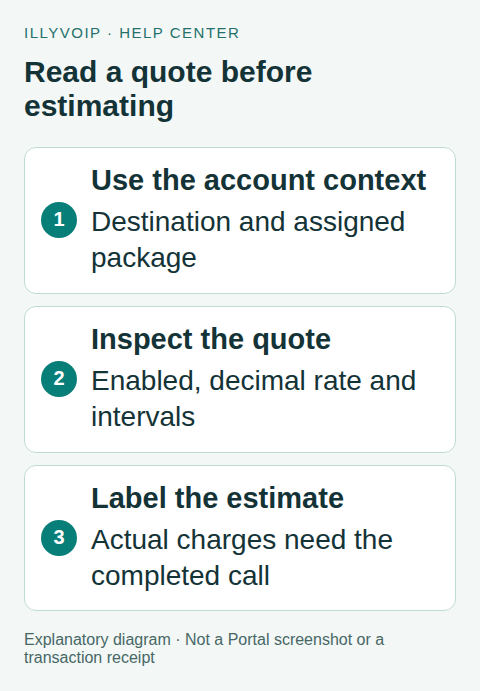
1. Choose a search or a specific-number quote
Use GET /api/v1/rates/search to explore destinations using the documented q, country and limit parameters. The current limit is 1–500 rows, with a default of 100. Search results are useful for navigation; a country name alone may include several destination prefixes with different rates.
Use GET /api/v1/rates/quote with number when you need the applicable result for a particular destination. Send the intended international number and URL-encode it correctly. Do not add a package ID to try to quote another customer’s plan: the service resolves the authenticated owner’s package.
2. Request the quote from your backend
This cURL example reads the key from an environment variable and encodes the number as a query parameter. Replace the documentation number with the intended destination; do not expose the key in browser JavaScript:
curl --get 'https://api.illyvoip.com/api/v1/rates/quote' \
  --header "X-Api-Key: $ILLYVOIP_API_KEY" \
  --data-urlencode 'number=+12025550123'
Check both the HTTP result and the API response. A network error, invalid input or missing package is not a zero-priced call. Keep the request time and the package/destination fields needed to explain the displayed quote, without logging full private numbers unnecessarily.
3. Read the returned fields
A successful result includes package_name, optional lookup information and a quote object. The quote identifies the normalized number, matched prefix, destination, enabled, rate_per_minute and billing intervals.
- enabled: check this before offering the destination as callable. A displayed rate does not override a disabled result.
- rate_per_minute: handle the returned decimal string with decimal arithmetic. A null value is missing information, not zero.
- billing.init_seconds: the initial billed interval.
- billing.increment_seconds: the subsequent billing increment.
- lookup: optional supporting information; the application must tolerate it being null.
Do not assume that a prefix’s general description proves the recipient’s current carrier, service availability or every routing property. Show the destination/package information actually returned and label uncertainty clearly.
4. Explain an estimate without presenting it as a charge
For a positive answered duration and valid positive intervals, an illustrative usage estimate applies the initial minimum; once the duration exceeds that minimum, it rounds the total duration up to a whole billing increment. Use decimal arithmetic for money. The example below demonstrates that arithmetic with invented tariff values:
from decimal import Decimal, ROUND_CEILING

def estimate_usage(rate_per_minute, init_seconds, increment_seconds, duration):
    # Illustrative connect-time usage estimate, not an invoice calculation.
    if isinstance(duration, bool) or not isinstance(duration, int) or duration <= 0:
        raise ValueError('Use a positive whole-second answered duration')
    if any(isinstance(x, bool) or not isinstance(x, int) or x <= 0
           for x in (init_seconds, increment_seconds)):
        raise ValueError('Valid positive billing intervals are required')
    rate = Decimal(str(rate_per_minute))
    if not rate.is_finite() or rate < 0:
        raise ValueError('Valid nonnegative rate required')
    billed_seconds = max(duration, init_seconds)
    if billed_seconds > init_seconds:
        increments = (Decimal(billed_seconds) / increment_seconds).to_integral_value(
            rounding=ROUND_CEILING)
        billed_seconds = int(increments) * increment_seconds
    return billed_seconds, rate * Decimal(billed_seconds) / Decimal(60)

# Hypothetical tariff only: 0.02 per minute, 60/60 billing, 61 seconds.
seconds, amount = estimate_usage('0.02', 60, 60, 61)
assert seconds == 120 and amount == Decimal('0.04')
Reject missing, nonpositive or unsupported interval values rather than guessing. A zero-duration or unanswered call needs its actual billing outcome, not this positive-duration example. Preserve precision internally and apply your product’s documented display rounding only when rendering the estimate.
This calculation covers only the stated per-minute usage and intervals. It does not add taxes, separate service charges, currency conversions or other adjustments that may apply. Do not label the invented 0.02 value as an IllyVoIP published tariff or imply a currency that the response did not establish.
5. Keep displayed results current
Rates and the account’s selected package can change. Display when the quote was retrieved and refresh it at an appropriate point before the user acts. If you cache results, scope them to the account/package and destination and use a deliberate expiry policy; do not serve one account’s rate to another.
If a later call report differs from an earlier estimate, compare the actual destination, package, answered duration, billing intervals and timestamps. A historical quote and a completed charge are different records. Keep the comparison evidence and ask Support about unexplained differences.
6. Test the edge cases
Test a valid enabled quote, a disabled destination, null rate, null lookup, missing intervals, malformed input and a failed request. For arithmetic, test a duration inside the initial interval, exactly at its boundary and one second beyond it. Confirm that a failure produces “unavailable” rather than a free-call label.
These tests can run on local fixtures without making a paid call. For a live read-only check, use the authorized account and confirm the returned package matches the intended customer context.
Frequently asked questions
Can I ask for an exact future bill?
The quote provides rate information, not the future answered duration or a final invoice. Present a clearly labelled estimate.
Does a successful rate lookup activate calling?
No. Account access, SIP configuration, destination enablement and the actual call outcome remain separate.
Related guides and references
- How to check rates and understand how to use routing plans
- Outbound voice api notification
- Official reference: api.illyvoip.com
- Official reference: illyvoip.com
Reviewed 8 October 2026 against current IllyVoIP source and official documentation. Configuration examples are not evidence of a completed hardware or live integration test. Use the current options and limits available to your account.
Browse countries before searching destinations
Request GET /api/v1/rates/countries with the account owner’s key. The response includes countries and package_name. Use the returned country values in subsequent searches instead of substituting guessed country codes. This is a calling-rate catalogue; it is not the phone-number purchasing catalogue or a promise that every number in a country is callable.
- Load the country list in the intended account and environment. Retain the returned package name as context for the user.
- Select a returned country and call the rate-search endpoint with
countryand, when useful,qfor a destination or prefix. Use documented filters only. - Read the returned rows and their enabled/routed state. Follow
has_moreandnext_offsetfor additional results while preserving the search filters. - When the customer has a complete telephone number, use the quote endpoint from the preceding example. A broad search result is not a substitute for the destination-specific quote.
- Refresh results when the account or routing context changes. Do not show one customer’s cached prices as another customer’s current rates.
Avoid misleading empty results
The rate search defaults to routed results and excludes disabled entries. An empty filtered result therefore does not establish that the country has no catalogue entries. Check the country value, search text and filters, then quote the complete destination where supported. A returned but disabled destination does not become callable because it appears in a list.
Use the returned pagination indicators rather than treating one limited result set as a complete tariff export. If you change a filter, start the search again from its beginning. Offset results can change as the catalogue changes; retain the time and context of a displayed quote instead of presenting a historical snapshot as a guaranteed future price.
What a calling quote does not prove
A price does not override account permissions, fraud-control country rules, caller-ID requirements or available credit. If the quote succeeds but a call fails, use the call’s actual result and the relevant troubleshooting guide. Increasing a local displayed price or removing filters in your application will not change the account’s calling permissions.
Related guides
Reviewed 12 October 2026 against the current IllyVoIP controls, implementation and applicable references. Available options depend on account permissions and service state.