
If an IllyVoIP phone registers through pfSense but has missing audio, inspect the actual traffic path before changing NAT. A phone connecting to a remote service and a local PBX receiving provider traffic are different deployments; a rule copied between them can be unnecessary or disruptive.
This guide is for the pfSense administrator and follows Netgate’s VoIP-phone NAT guidance. Record the installed CE/Plus release and retain a private backup. You need the endpoint’s current address, the assigned IllyVoIP connection details and a short authorized test.
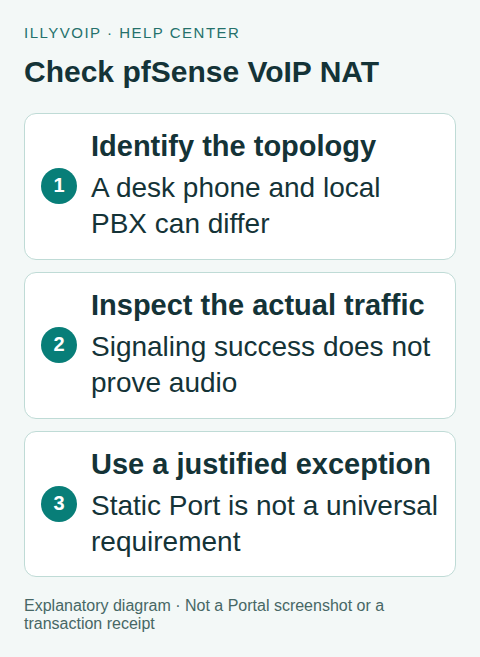
1. Establish the topology and symptom
Write down whether the device registers directly to IllyVoIP or through your PBX. Include any upstream router, double NAT, VPN or alternate WAN. Record the active interface and public source address rather than assuming the default gateway handles this traffic.
In Services → SIP Lines, confirm the server, transport and selected audio mode. Do not substitute the pfSense LAN address for the SIP server. Record which side cannot hear and whether the problem starts immediately, after hold or after transfer.
A successful registration is useful evidence about signaling, but it does not prove media can return. Conversely, a rejected outgoing call may be an account or destination issue rather than a NAT failure. Keep the public call reference, timestamp and exact result.
2. Read the existing outbound NAT configuration
Open Firewall → NAT → Outbound. Record the selected mode and the rules relevant to the endpoint. Note the source, destination, protocol, translation address, rule order and whether Static Port is selected.
Automatic, hybrid and manual arrangements have different consequences for existing mappings. Do not switch to manual mode and discard working automatic rules as a quick fix. Where a justified exception is needed, preserve unrelated mappings and use the narrowest supported arrangement.
Also inspect the matching firewall rule and routing decision. NAT translation does not grant traffic permission, and a rule can send the connection through a gateway different from the one you expected.
3. Capture one useful comparison
Use Diagnostics → Packet Capture and the state information appropriate to your release to observe a short authorized test. Compare the phone/PBX side with the WAN side. Keep enough signaling and media evidence to understand the failure without collecting an entire office’s calls.
Check whether outgoing traffic is translated as expected, whether replies return and whether media addresses are reachable. For TLS signaling, use an authorized endpoint log for SIP detail; do not turn off encryption solely to read packets.
If the same endpoint works on another trusted network, preserve that result with its conditions. Changing the network, endpoint and destination at once does not isolate pfSense.
4. Interpret Static Port carefully
Netgate’s phone guidance discusses cases where source-port preservation helps audio, but explicitly cautions against making static-port UDP 5060 behavior the default. Do not turn that conditional guidance into an instruction to preserve every phone’s signaling port.
Decide which observed translation, if any, is incompatible with the affected endpoint. A local PBX can have different requirements from several independent phones sharing one public address. Multiple devices cannot all be assumed to receive an identical translated source port without conflict.
Do not copy an example provider’s IP list or media range into IllyVoIP rules. Use the connection information and requirements applicable to your actual service and PBX. Ask Support when those requirements are unclear.
5. Test a scoped rule
- Retain the current rule set and a way to restore it.
- Identify the exact device and traffic that the proposed exception should match.
- Use the appropriate outbound NAT mode without removing unrelated automatic mappings.
- Change only the justified source-port or rule behavior and apply it.
- Renew the affected connection and repeat the same test.
Existing states may continue using the previous translation. Use a targeted state/session action during the maintenance window if necessary; clearing all states can interrupt unrelated traffic. Do not open broad inbound access merely because the original symptom was one-way audio.
6. Check the full result
Confirm registration, outbound calling, inbound calling for the routed number, two-way audio and normal hangup. If the original issue involved transfer or hold, verify that action too. Keep the number’s saved destination and the phone’s selected account consistent throughout.
If the correction makes no difference, restore the old rule and record that outcome. Do not accumulate several unexplained NAT exceptions. If it helps, document the exact scope and evidence so the exception remains understandable during a future network change.
Common situations
No packets reach the intended WAN: inspect routing, interface selection and the matching firewall rule before changing port preservation.
Incoming calls do not ring but outgoing audio works: verify the purchased number’s destination and the phone’s availability/DND in addition to the network path.
Only one remote destination fails: compare a second authorized destination and retain both references; a global firewall change may be unjustified.
Send Support a concise topology, pfSense release, call reference/time, affected audio direction and sanitized capture findings. Protect backups and SIP credentials.
Frequently asked questions
Must every IllyVoIP phone use Static Port? No. Use evidence and the endpoint’s requirements.
Should I follow the PBX NAT recipe for a desk phone? Only after confirming the topology actually matches. The two recipes address different situations.
Related guides and references
- Fix One-Way or Missing Audio on SIP Phones and PBXs
- Set up an IllyVoIP PJSIP trunk in FreePBX
- Official reference: docs.netgate.com
Reviewed 9 October 2026 using current IllyVoIP implementation and official references. Check your installed version and account options before applying settings. Examples do not certify a physical device or completed live integration.