
A call can be progressing even when the caller hears no ringing. The phone may generate a local ringback tone, or the network may supply audio before the destination answers. Diagnose which path the call is using before treating silence as a failed connection.
This guide is for a phone/PBX administrator or developer investigating an authorized IllyVoIP call. It covers audio before answer. If the call is already answered and one party cannot hear, use the missing-audio guide as well. Keep a short call reference and sanitized trace rather than changing account settings without evidence.
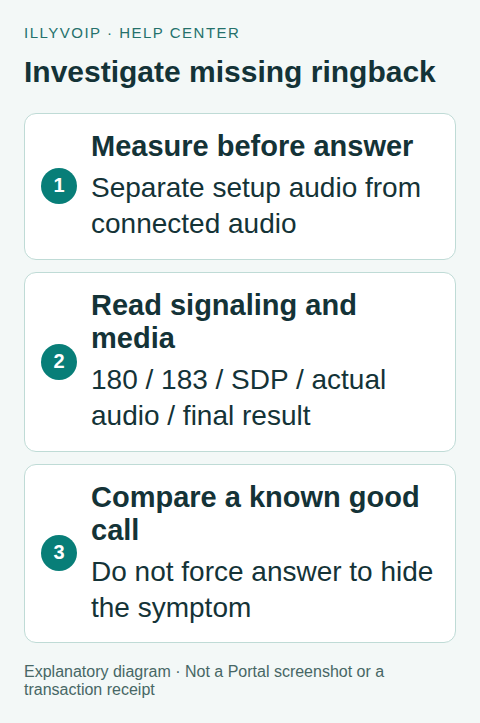
1. Identify when the silence happens
Record the time dialing starts, any displayed ringing/progress state, whether an announcement is heard and whether two-way audio works after answer. Ask the remote party, when practical, whether their device actually rang.
Separate a silent setup period from a failed microphone, an answered IVR waiting for input, or a final rejection announcement. Include the endpoint/PBX version, dialed format, direction and public IllyVoIP call reference.
Use an authorized test destination and keep tests bounded. Progress audio is not a reliable basis for calculating charges; review the completed call’s actual report and applicable rate information.
2. Read progress responses in context
180 Ringing signals an alerting stage. An endpoint can use progress signaling to generate its own ringback tone. 183 Session Progress is another provisional response and can carry session-description information used for early media. Neither code alone proves that sound reached the caller.
Inspect whether SDP is present, whether media actually flows and what final response follows. A lone screenshot of a 183 response does not establish failure, answer, delivery of an announcement or billing outcome.
The complete call may cross several signaling legs. A response observed between your phone and PBX need not be identical to the provider-facing leg. Record the capture point so Support can interpret it correctly.
3. Compare local tone and network audio
A locally generated ringback tone does not require an incoming audio stream for the tone itself. Network early media does require a working media path. If an endpoint stops local ringback after receiving a media offer but the actual media never arrives, the caller may hear silence.
Check endpoint volume/output selection as well as the signaling and media path. If both local tones and answered audio are inaudible, begin with the device output. If only the pre-answer period is silent, focus on progress handling and early media.
The current IllyVoIP browser SDK distinguishes outgoing ringing and early-media states: a matching 183 with SDP stops its local outgoing tone, while a 180 can start local ringing before early media takes over. That is specific implementation behavior, not a promise that every desk phone or destination behaves identically.
4. Capture one failing and one working example
- Record the same endpoint, network and outgoing identity.
- Capture one authorized call with the symptom.
- Retain the provisional responses, SDP where available, media observations and final outcome.
- Compare one known working destination or endpoint while changing only that variable.
- Keep both timestamps and public references.
Do not collect unrelated calls or expose credentials in a shared trace. TLS traffic will not show readable SIP in an ordinary packet capture; use an authorized endpoint/PBX diagnostic rather than disabling security.
5. Locate the failing stage
No expected progress reaches the endpoint: compare the PBX-facing and provider-facing signaling, routing and policy decisions.
183/SDP reaches the endpoint but no media does: inspect the negotiated addresses, firewall/NAT return path and supported media settings. Reuse the existing one-way-audio troubleshooting sequence where it applies.
Media arrives but no sound is heard: inspect codec negotiation, output selection and the endpoint’s handling of early audio.
A final error arrives: investigate that final response and reason. Do not diagnose the earlier provisional 183 as the error simply because it appears in the same trace.
6. Make a correction without forcing answer
Use the matching endpoint/PBX documentation for the specific behavior implicated by the evidence. Save the previous value and change one setting. Do not force an early answer merely to make audio start: it changes call semantics and can affect downstream workflows and charging interpretation.
Do not change IllyVoIP’s configured outgoing failure handling as a generic workaround. That is a separate product choice about how rejected calls are handled. Explain the observed failure before proposing a policy change.
Retest the same path through answer and normal hangup. Confirm that a fixed ringback symptom did not break actual announcements or answered audio. Restore an unsuccessful change instead of stacking speculative settings.
Prepare a support example
Include the setup-versus-answer timing, endpoint version, capture location, final response, whether SDP/media were observed and the public call reference. Share only the minimum relevant sanitized evidence. A statement such as “183 seen on the PBX leg, no return media observed there, audio works after answer” is more useful than “183 error.”
Frequently asked questions
Does 183 mean the call failed? No. It is provisional progress; inspect the final result.
Does hearing ringback prove the remote phone rang? Not necessarily. It may be generated locally.
Related guides and references
- SIP response codes
- How to Read and Understand Your VoIP Call Reports (CDR)
- Fix One-Way or Missing Audio on SIP Phones and PBXs
- Choose how rejected outgoing calls are handled
- Official reference: www.rfc-editor.org
Reviewed 9 October 2026 using current IllyVoIP implementation and official references. Check your installed version and account options before applying settings. Examples do not certify a physical device or completed live integration.