
Create a short voicemail greeting with IllyVoIP Text-to-Speech, then install the reviewed audio in your own FreePBX mailbox. The IllyVoIP API generates the file; FreePBX UCP controls which greeting callers hear. This does not add a custom-greeting upload to the IllyVoIP Portal’s agent mailbox.
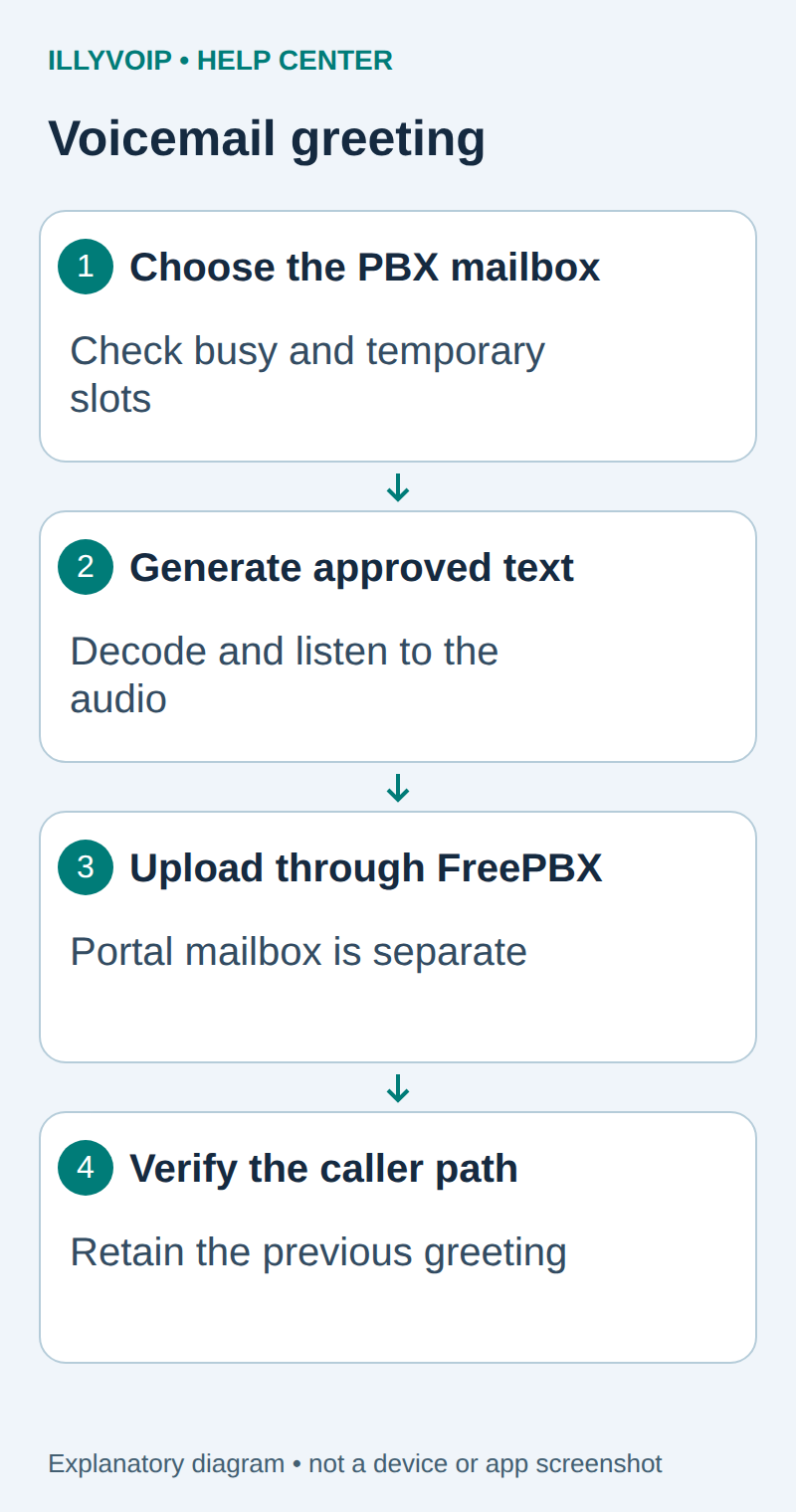
1. Check the mailbox and permissions
You need a FreePBX system already connected to IllyVoIP, an enabled mailbox, and UCP access to that mailbox’s voicemail controls. Confirm the extension and mailbox context before changing anything. Ask the PBX administrator if the Voicemail widget or Greetings control is unavailable.
Keep a copy of the current greeting and note whether a temporary greeting is active. The UCP layout and permissions vary by FreePBX version. Follow the labels in your installed system; do not edit a different extension simply because its mailbox is visible.
You need an IllyVoIP account permitted to use the relevant API, sufficient balance for paid operations and an API key. In the Portal, open Account settings → Developer tools and follow its verification prompts. Keep the key in your server’s secret configuration as ILLYVOIP_API_KEY, outside source control and shared documents. Read-only catalog and reporting requests are different from paid speech generation or SMS submission.
2. Write the message callers need
Prepare an unavailable greeting and, if useful, a separate busy greeting. Identify the business or team, tell the caller what to leave, and state a realistic next step. Keep spoken hours and callback promises current. Do not include private mobile numbers or account information unless they are intended for every caller.
| Item | Meaning or action |
|---|---|
| Unavailable | “You have reached Example Support. Please leave your name, number and a short message.” |
| Busy | Explain that the team is on another call and invite a message. |
| Temporary | Use only for a genuine temporary situation, and record when to remove it. |
A greeting does not establish an after-hours route. Confirm the PBX dialplan already sends the relevant unanswered or busy call to the intended mailbox.
3. Generate and save the audio
Use the complete Text-to-Speech guide linked below to read the standalone language and voice catalogs, select an available voice, and submit the approved text to POST /api/v1/tts/synthesize. Text is limited to 2,000 characters per request. This short greeting should fit one reviewed request.
Select a WAV or MP3 format supported by the installed upload control. Decode the successful response’s audio_base64 into an actual audio file. Renaming the JSON receipt to .wav does not convert it. Keep the receipt and generated file privately with the script version.
Preserve the exact input, local job identity and response before moving to the next step. A timeout or lost response is an uncertain outcome, not permission to submit the same paid operation again under a new name. Recover from a saved successful response when possible; otherwise reconcile the original attempt. API duplicate-charge protection does not replace your application’s operation history.
Listen from start to finish before uploading. Check names, telephone numbers, pronunciation, silence at the beginning and an abrupt ending. Regeneration is another operation; correct the script deliberately instead of generating a large set of unreviewed variants.
4. Replace the correct greeting in UCP
- Open FreePBX UCP and the intended extension’s Voicemail controls.
- Open Greetings and identify Unavailable, Busy or Temporary.
- Play the existing selection and preserve a backup through the available download or administrator workflow.
- Use Upload Greeting or the documented drag-and-drop area for that greeting type.
- Wait for the upload result and play the stored greeting again.
- If copying the same greeting between slots, verify each slot afterward.
Sangoma documents that a temporary greeting overrides the ordinary greetings until removed. Changing Unavailable while Temporary remains active can therefore appear to have no effect. Do not remove an intentional temporary announcement without checking its purpose.
5. Verify the caller path
When authorized, call the relevant IllyVoIP number from a phone you control and follow the actual unanswered or busy path. Check that the correct mailbox answers, the whole greeting plays at a reasonable volume and the caller can leave a message. Listen to the resulting message through the mailbox’s normal controls.
API synthesis success and successful UCP upload are separate from this caller-path check. Neither proves incoming routing or two-way audio. Retain the old greeting until the intended path is verified, and restore it if the new file is unsuitable.
If something does not work
| Item | Meaning or action |
|---|---|
| Upload rejected | Check the actual file format and the installed PBX’s supported upload types and size limits. |
| Old greeting still plays | Check mailbox/context, greeting type and temporary-greeting precedence. |
| No voicemail answer | Inspect the PBX destination and mailbox enablement; generating audio does not create that route. |
| Pronunciation is wrong | Revise the approved text and voice deliberately, then review the regenerated file before replacing the greeting. |
Keep troubleshooting focused on the component that failed: synthesis, file decoding, upload or caller routing. A PBX greeting does not change the Portal’s separate voicemail configuration.
Related guides and reference
Sangoma UCP voicemail. IllyVoIP API reference. Reviewed October 12, 2026. Examples are instructional: local checks do not establish a completed paid request, live third-party integration or production PBX acceptance.