
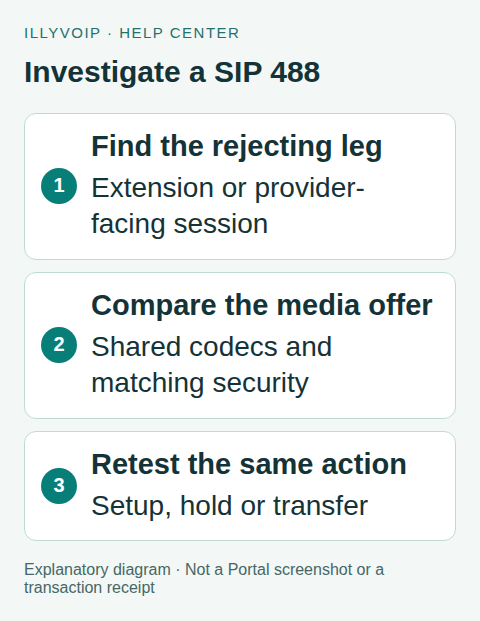
SIP 488 Not Acceptable Here means the receiving side could not accept the proposed session in that context. It can involve codec or media compatibility, but the code alone does not prove a codec mismatch. Identify the rejecting leg and compare the actual offer with the intended IllyVoIP configuration.
This guide covers an IllyVoIP SIP phone or a directly administered Asterisk PJSIP trunk. If FreePBX or another management system owns the configuration, use its supported controls rather than editing generated files. Take a private configuration backup and change one setting at a time.
1. Identify when and where the rejection happens
Record the time, timezone, direction, destination and public call reference. Establish whether the original call setup fails or a previously working call fails after hold, transfer or another renegotiation. Keep a working call through the same setup if available.
Use a short authorized diagnostic to find which observed peer returned 488. A PBX can have a phone-facing leg and an IllyVoIP-facing leg with different offers. A response on the phone side does not automatically mean the provider rejected the trunk.
2. Inspect the media offer
Review the relevant SDP from the failing request and any available answer or explanatory response. Identify the offered audio codecs, media profile, media address and encryption attributes. Dynamic payload numbers must be interpreted using their codec mappings; a number alone is not a codec name.
Compare the same fields with a working offer. Look for a change introduced by the phone, a PBX update or a hold/transfer action. If signaling is encrypted, use an authorized endpoint diagnostic rather than disabling TLS to get a convenient packet capture. Keep authorization headers and SDES key material private.
3. Check the configured codec intersection
Review the permitted codecs for the actual IllyVoIP SIP line and the endpoint. The current SIP profile controls support ulaw, alaw, g729 and gsm; use the subset actually enabled for the line. Browser WebRTC support for another codec does not establish that codec’s availability on this SIP trunk.
On a directly managed Asterisk server, the read-only commands below help identify the loaded endpoint and available translation paths. Replace the example endpoint name:
pjsip show endpoint YOUR_ILLYVOIP_ENDPOINT
core show codecs audio
core show translation
Having a codec module installed is different from allowing it on the endpoint. Asterisk may also need a viable translation path between the extension and trunk. Do not assume it can transcode every offered combination simply because both names appear somewhere in the system.
If evidence shows the trunk offers no shared codec, a narrowly scoped G.711 example for a directly managed endpoint is:
disallow=all
allow=alaw,ulaw
This is an example to evaluate against your line’s allowed codecs, not a universal configuration change. Preserve other endpoints and use the normal maintenance/reload procedure for your installed Asterisk release. A GUI-managed PBX should receive the equivalent change through its own configuration owner.
4. Check media encryption independently
Compare the Portal line’s RTP or SDES-SRTP choice with the endpoint’s media configuration. In Asterisk PJSIP, SDES and DTLS are different methods; a browser’s secure-media setup is not a template for a desk-phone trunk.
A codec intersection can be correct while the proposed media profile or keying method is incompatible. Likewise, a TLS connection can succeed before an incompatible media offer receives 488. Do not solve an encryption requirement by silently allowing plain RTP fallback. Restore the intended matching secure configuration or ask for help.
5. Reproduce the affected call path
- Save the relevant before/after settings and the reason for the change.
- Apply one correction through the supported configuration workflow.
- Repeat an authorized call on the affected direction and destination.
- Confirm the negotiated codec/media mode and two-way audio after answer.
- If the error followed hold or transfer, repeat that action and inspect the subsequent negotiation.
Do not declare success based only on registration or the disappearance of 488. A call that now connects without audio still needs investigation. Ordinary test calls can incur charges.
6. Escalate with the minimum useful evidence
If the rejection persists, provide the public call reference, timestamp, endpoint/PBX version, direction, affected action, sanitized offer details and the working comparison. Tell Support whether you observed the error on the extension leg or trunk leg. Avoid sending full configuration archives or unrelated traces.
Frequently asked questions
Should I enable every codec?
No. A controlled shared set makes the result easier to understand. An unsupported or unavailable codec does not become usable because it is advertised.
Does 488 prove IllyVoIP has a fault?
No. The response is evidence about one attempted session. Its cause must be established from the offer, receiving leg and current configuration.
Related guides and references
- Sip response codes
- Fix one way voip audio
- Asterisk pjsip tls srtp
- Official reference: docs.asterisk.org
- Official reference: www.rfc-editor.org
Reviewed 8 October 2026 against current IllyVoIP source and official documentation. Configuration examples are not evidence of a completed hardware or live integration test. Use the current options and limits available to your account.