
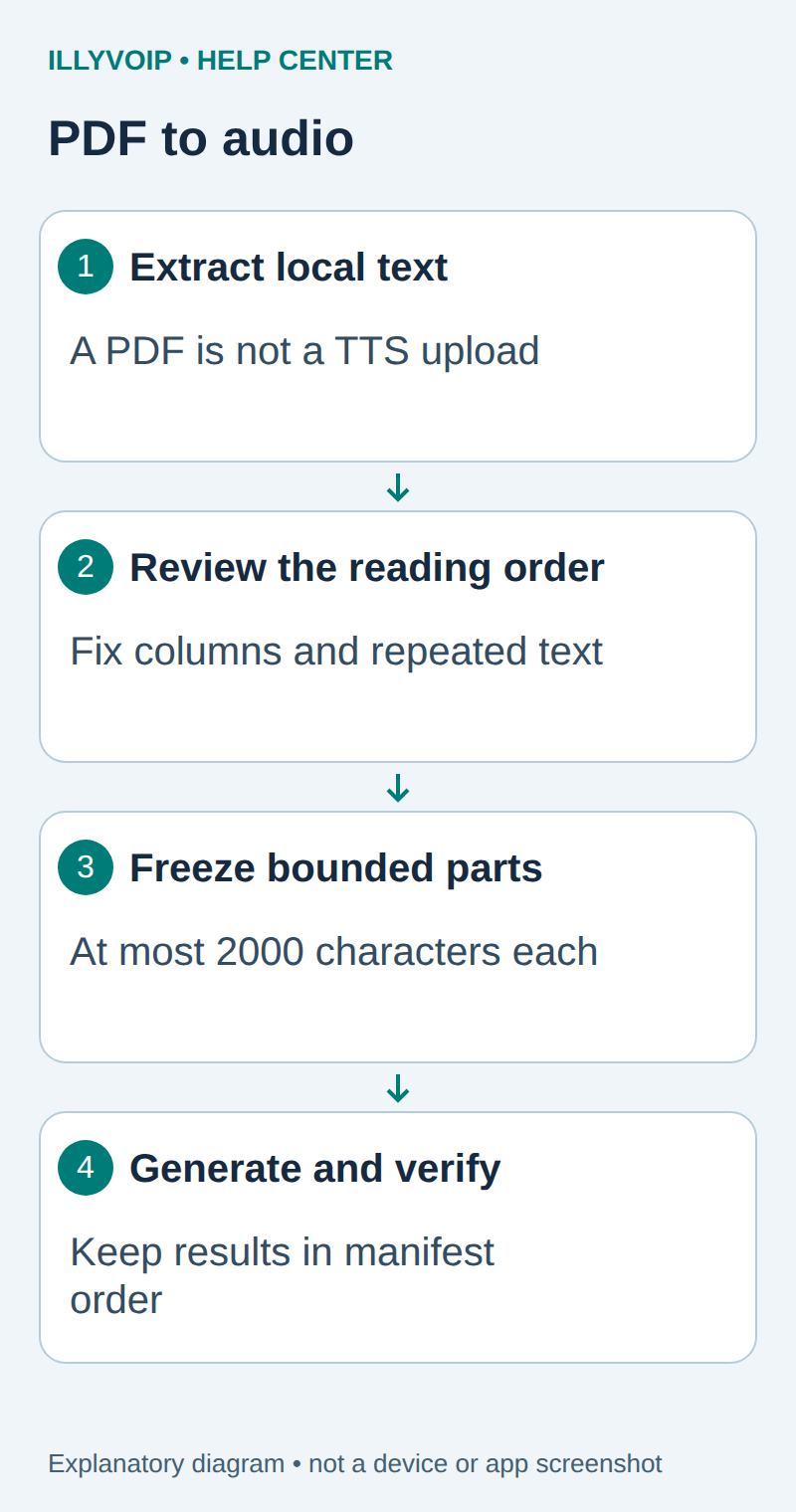
Turn a text-based PDF into a set of ordered audio files using local text extraction and IllyVoIP text-to-speech. This is useful for an internal handbook or a document you are authorized to process. IllyVoIP receives reviewed text, not the PDF itself. A scanned page needs a separate OCR workflow and is not handled by this example.
1. Prepare the document and tools
You need an IllyVoIP account permitted to use the relevant API, sufficient balance for paid operations and an API key. In the Portal, open Account settings → Developer tools and follow its verification prompts. Keep the key in your server’s secret configuration as ILLYVOIP_API_KEY, outside source control and shared documents. Read-only catalog and reporting requests are different from paid speech generation or SMS submission.
Use the standalone speech_api context. Read the current language catalog, and for synthesis select an exact voice from the corresponding voice catalog. Do not assume that the Voice Agent’s available languages or another provider’s voice names apply to the standalone API.
Use Python 3.11 or later and pypdf in a private virtual environment. Work on a copy of the PDF. Check that you can select its text in a PDF reader; this helps identify scans, though selectable text can still have incorrect reading order.
python3 -m venv .venv
. .venv/bin/activate
python -m pip install pypdf
umask 077
2. Extract text for review
Save this as extract_pdf.py. It writes one UTF-8 file per page, then stops. It does not make network requests or generate paid audio.
import sys
from pathlib import Path
from pypdf import PdfReader
reader = PdfReader(sys.argv[1])
if reader.is_encrypted:
    raise SystemExit("Use an authorized decrypted copy first")
out = Path(sys.argv[2])
out.mkdir(mode=0o700)
for n, page in enumerate(reader.pages, 1):
    text = page.extract_text() or ""
    (out / f"page-{n:04d}.txt").write_text(text, encoding="utf-8")
    print(n, "characters:", len(text))
python extract_pdf.py handbook.pdf reviewed-pagesOpen every output page alongside the PDF. Remove repeated page headers and footers, fix hyphenated line breaks and check columns, lists, tables and footnotes. Empty or garbled output is a reason to stop. Do not treat extraction success as proof that a page will be spoken in a sensible order.
3. Prepare bounded speech requests
The current TTS endpoint accepts at most 2,000 characters per request. Split reviewed text at paragraph or sentence boundaries below that limit, with a deliberate policy for unusually long sentences. Keep page number, sequence number, text-file path, character count and a content hash in a manifest. Do not upload the PDF or use an invented document field.
| Item | Meaning or action |
|---|---|
| page | Original page for comparison. |
| sequence | Fixed playback order; do not sort filenames lexically without zero padding. |
| text_sha256 | Detect accidental changes after review. |
| operation_directory | A stable private folder for this exact paid request. |
| state | Prepared, attempting, response saved or review required. |
| audio_file | Validated decoded output for the same item. |
Review the total character count and current speech rate before sending. Blank pages should be excluded deliberately. Do not silently truncate an over-limit page.
4. Generate each approved part
Use the complete one-attempt Python client in the Python TTS guide. Submit one reviewed text part with the selected catalog language/voice and a consistent MP3 or WAV output configuration. Give each part its own stable operation directory.
Preserve the exact input, local job identity and response before moving to the next step. A timeout or lost response is an uncertain outcome, not permission to submit the same paid operation again under a new name. Recover from a saved successful response when possible; otherwise reconcile the original attempt. API duplicate-charge protection does not replace your application’s operation history.
Decode audio_base64 only after checking HTTP/API success and the expected MIME type. Retain the response so a failed local file write does not require a second synthesis. Do not concatenate raw base64 strings.
5. Check and assemble the audio
Listen to each part and verify its page/sequence label. A playlist of numbered files is often sufficient and preserves page navigation. If you need one file, use an audio tool to decode and concatenate compatible inputs in manifest order, then encode the result. Simply appending WAV headers or arbitrary MP3 bytes is not a reliable assembly method.
Verify the opening, transitions, final paragraph and total duration of the assembled output. Keep your approved text and manifest alongside the final audio. Changing a paragraph should produce a new reviewed version of that part, not an untracked rebuild of the entire document.
Troubleshooting
- Text is empty: inspect whether the page is a scan or encrypted.
- Columns are spoken in the wrong order: correct extracted text manually before synthesis.
- A request is rejected: check character count, catalog identifiers and output settings.
- An output file is missing after success: recover from the stored response before generating again.
This produces narration of reviewed text, not a faithful audio representation of diagrams, tables or page layout. Add descriptions only when you can verify their meaning.
Related guides and reference
pypdf text extraction. IllyVoIP API reference. Reviewed October 11, 2026. Examples are instructional: local checks do not establish a completed paid request, live third-party integration or production PBX acceptance.