
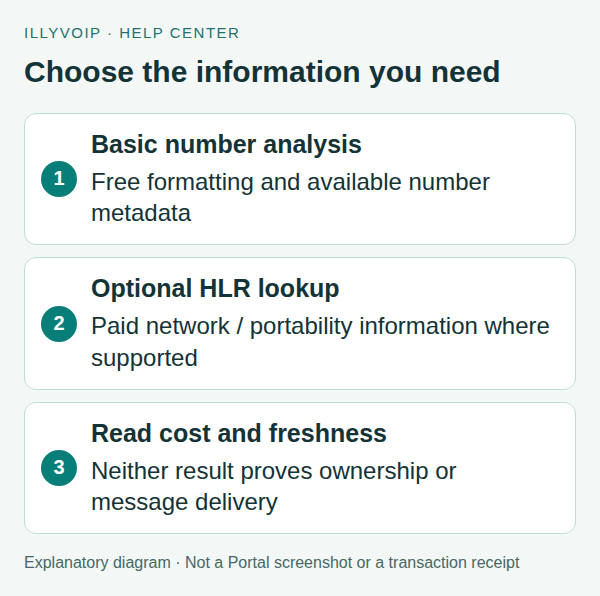
Start with GET /api/v1/lookup/number for free basic number analysis. If you need supported network or portability information, make a separate paid request to POST /api/v1/lookup/hlr. Interpret the returned fields and their freshness rather than treating every successful lookup as proof that a number can receive a call or SMS.
This guide is for developers enriching a contact or checking a number before a communication workflow. A lookup is not identity verification and does not establish the number holder’s consent.
1. Prepare the input and API access
The examples use a terminal with cURL and a server-side API key supplied through the ILLYVOIP_API_KEY environment variable. Keep the key out of browser code, screenshots and source control. Follow the API quickstart to reveal your key using the Portal’s verification prompts. Examples are templates, not records of a completed transaction; replace placeholders deliberately before running them.
Set LOOKUP_NUMBER to the complete number in international format, including the country code. Use a number you are entitled to process. Do not guess missing digits or prepend a country code when you do not know the number’s country.
The JSON example uses jq. Keep number data and returned network information private. Basic analysis and paid HLR are different actions; do not hide a paid HLR call behind every keystroke in a customer form.
2. Request free basic number analysis
curl --silent --show-error --fail-with-body --get \
  'https://api.illyvoip.com/api/v1/lookup/number' \
  -H "X-Api-Key: ${ILLYVOIP_API_KEY:?Set ILLYVOIP_API_KEY}" \
  --data-urlencode "number=${LOOKUP_NUMBER:?Set a complete international number}" \
  > number-analysis.json
Check the HTTP result and JSON status. Read the returned lookup object for normalized formatting, country/region and other available metadata. Examples include formatted_e164, country_code, region_code, number_type and valid_number_format.
A formatting result describes number analysis, not live handset reachability. Static carrier or range metadata may differ from a number’s current network after porting. Missing metadata should remain unknown in your application, not silently become “inactive.”
3. Decide whether you need paid HLR
| Your question | Appropriate interpretation |
|---|---|
| How should this number be formatted? | Start with basic number analysis. |
| What current network or portability data is available? | Consider the supported HLR lookup and review its cost. |
| Does this person own the number? | A lookup does not establish ownership. |
| Will my SMS definitely arrive? | Neither lookup is a delivery guarantee. |
Review the current product pricing before proceeding. HLR can have additional options whose availability and billed amount depend on the number and returned information. Do not hard-code a price from an old example or assume every country supports the same activity checks.
4. Submit only the HLR checks you need
This minimal request performs a paid lookup when processed. It leaves optional deeper checks off:
jq -n --arg number "${LOOKUP_NUMBER:?Set a complete international number}" \
  '{number:$number}' > hlr-request.json
curl --silent --show-error --fail-with-body \
  'https://api.illyvoip.com/api/v1/lookup/hlr' \
  -H "X-Api-Key: ${ILLYVOIP_API_KEY:?Set ILLYVOIP_API_KEY}" \
  -H 'Content-Type: application/json' \
  --data-binary @hlr-request.json > hlr-response.json
The optional request fields include include_ported_date, check_landline_activity and check_us_mobile_activity. The documented activity checks have destination/type restrictions, including supported UK/Ireland fixed lines and supported US mobile numbers. Enable an option only when it answers a real requirement and you understand its current pricing conditions.
5. Interpret the result and billed amount
- lookup: the returned number, network, status and portability fields. Use only the information actually available.
- cost_eur: the exact amount billed for this request, in EUR.
- result_source: whether the information came from a live or cached result.
- result_fetched_at: when the lookup information was obtained.
- replayed: a separate duplicate-response indicator, not a synonym for cached network data.
Keep freshness visible where it affects your decision. A cached result can be useful without being a new live network observation. Conversely, a new request time is not a reason to discard the returned information timestamp.
Porting dates and activity details are not universally available. An absent optional value is not proof that the number was never ported or is inactive. Do not convert a provider-dependent status into a stronger promise than the response supports.
6. Handle failures and repeats
If basic validation rejects the number, correct the input explicitly. If paid lookup is unavailable or returns an error, retain the error and request time. Do not fabricate the missing network data from a country prefix.
A repeated live lookup is another request and may incur another charge. Although duplicate-charge protection is documented, it is not blanket permission for automatic paid retries. Reconcile an uncertain result and check the current endpoint rules before retrying; preserve any returned reference for Support.
Store only the fields your application needs, with appropriate access controls. Do not expose an account API key in a public number-check form; make the request through your authenticated backend.
Frequently asked questions
Is HLR included in free number analysis?
No. It is a separate billed endpoint. Choose it deliberately and review the returned cost.
Does active mean SMS delivery is guaranteed?
No. Sender restrictions, route availability, destination policy and actual delivery remain separate.
Does a ported number always include its porting date?
No. That information depends on the supported lookup and returned data.
Related guides and reference
For current endpoint parameters and examples, use the IllyVoIP developer resources and public API specification.
Instructions reviewed on 8 October 2026. Available controls and service options depend on your account. Use the current values shown in your Portal.