
The Voice API’s DTMF action sends keypad tones into an active call. Use it when your authorized application needs to enter a short choice into a remote telephone menu. This is different from the gather action, which collects digits entered by your caller.
You need a backend with the account’s API access and a live call control ID owned by that account. The remote system must be expecting the tones. An API success confirms the action’s reported result, not that the remote menu accepted a choice or completed a transaction.
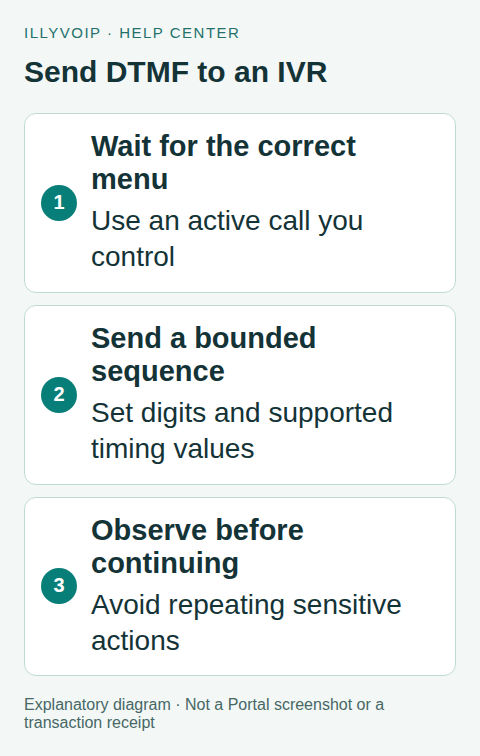
1. Define the permitted interaction
Choose a narrow, authorized use case and a known destination. Document which prompt the application should wait for and which digits represent the intended action. Do not feed arbitrary user-supplied digits into a sensitive remote menu without validation.
Keep PINs, account numbers and other private keypad content out of ordinary logs and screenshots. If your process requires such information, use the appropriate secure handling and confirmation rules rather than copying it into a sample payload.
Set a maximum number of menu attempts and a safe exit. A remote system that does not respond as expected should not trigger an unbounded loop of tones or new calls.
2. Wait for the call and menu to be ready
Read the existing call’s status and confirm that it is active and answered. A returned call control ID from call creation does not prove answer. An ended call, a public Call Reports reference and another account’s control ID are not valid substitutes.
Answer alone does not prove the remote menu is ready for input. Use the remote system’s documented timing or an explicit signal your integration can reliably observe. A fixed delay can be an initial controlled test, but it should not be presented as a universal prompt-detection mechanism.
Make one application component responsible for this call step. Concurrent workers can send overlapping or repeated sequences even when each request is syntactically valid.
3. Build a short sequence
For the simplest menu choice, use ordinary keypad digits and a terminator only if that menu requires one. The example sends 1 followed by the hash key:
{
  "call_control_id": "YOUR_ACTIVE_CALL_CONTROL_ID",
  "digits": "1#",
  "timeout_ms": 250,
  "duration_ms": 160
}
Send this JSON to POST /api/v1/voice/call-control/dtmf with the account’s X-Api-Key and JSON content type. Keep the permanent key on the backend.
In this action, timeout_ms is the inter-tone wait, not an HTTP timeout or the time allowed for a caller to answer a gather prompt. duration_ms controls tone length. The current implementation defaults to 250 ms and 160 ms respectively and bounds each setting to 25–10,000 ms. Use the receiver’s requirements rather than maximizing every value.
4. Use pauses only when required
The documented action supports pause characters where applicable. The current implementation passes supported w/W pause notation to its DTMF execution path; do not assume it is the same as a comma in a phone’s contact entry or a human waiting for a spoken instruction.
Start with a short basic sequence, then add only the pause behavior confirmed for your controlled integration. Do not copy special hook-flash or A–D tone symbols from an internal implementation into an ordinary public-menu example. A destination that expects a different signaling method or sequence still needs its own compatibility test.
The current validator bounds the sequence length to 80 supported characters. That is an input limit, not a recommendation to send a long chain of menu decisions without observing intermediate results.
5. Record the action without overstating the result
Before submitting, persist the call ID, logical step and intended sequence in a protected record. On success, save the reported action outcome and advance only according to your workflow’s next verified condition. The current response includes the control ID and digits, so sanitize it before logging if the sequence is private.
A successful DTMF request does not prove that the remote menu heard the tones, recognized them or completed the requested operation. Use a supported acknowledgement or a deliberate verification step where the business outcome matters.
6. Recover cautiously from an uncertain request
If the HTTP response is lost, the tones may already have been sent. Mark the step uncertain. Do not automatically repeat 1# with a new application event or assume an idempotency header guarantees exactly-once tone playback for this endpoint.
Check the existing call state and what your integration can reliably observe about the remote menu. If the result cannot be established safely, use the designed fallback or end the interaction. Repeating tones can select another menu option after the remote system has already moved forward.
If the caller disconnects or the call becomes terminal, stop sending tones. Do not treat a failed action as permission to place another call unless your application’s explicit retry policy authorizes a new interaction.
7. Test the actual menu path
Use local fixtures for valid/invalid input, unsupported characters, an ended call, a lost response and duplicate application events. Verify one step owner and the attempt limit. These tests exercise your application logic without making a paid call.
Then perform one authorized live test against the intended system. Confirm that tones are accepted at the chosen point, that duration/gap settings are appropriate, and that the next menu state matches your expectation. Keep ordinary call charges and privacy requirements in mind.
Frequently asked questions
Should I use gather instead?
Use gather to collect input from your caller. Use DTMF to transmit tones toward the other side of the controlled call.
Can I tell whether a payment or account change succeeded from HTTP 200?
No. A remote business result requires its own reliable confirmation; tone transmission alone is not that confirmation.
Related guides and references
- Build a keypad phone menu with the Voice API
- Fix Keypad Digits Not Working During a VoIP Call
- Official reference: api.illyvoip.com
Reviewed 8 October 2026 using current IllyVoIP implementation and official references. Check your installed version and account options before applying settings. Examples do not certify a physical device or completed live integration.