
A SIP call that repeatedly ends roughly half a minute after answer deserves a signaling check. A missing or misrouted ACK is one possible explanation, but the duration alone is not a diagnosis. Begin with the call sequence and the device that initiated termination.
This guide is for an administrator of the affected phone or PBX. Keep a private backup before changing configuration, and use one authorized test destination. Ordinary calls can incur charges. If the call never answers, investigate setup failure separately instead of applying an answered-call explanation.
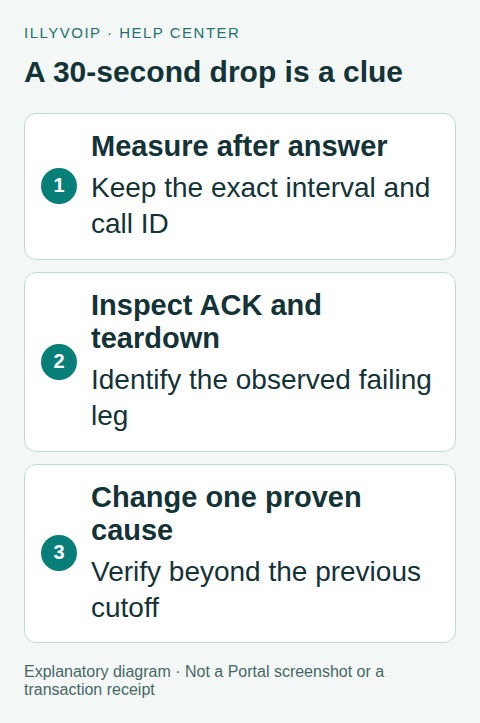
1. Measure from answer, not from dialing
Record when dialing began, when the call answered and when it ended. Include the time and timezone, direction, endpoint/PBX release and IllyVoIP public call reference. Determine whether “30 seconds” is consistent across several examples or an approximate recollection.
Compare a working call through the same system. Note whether both directions fail, whether only one extension is affected, and whether hold/transfer changes the result. Distinguish a disconnected call from a call that remains active with silent audio.
2. Identify the termination evidence
Use a short authorized endpoint trace or the supported PBX diagnostic to inspect the relevant dialog. Locate the final answer, its ACK and any BYE or error. A PBX has separate extension and trunk legs; inspect the affected leg rather than assuming they use identical signaling addresses.
If an observed peer sends BYE, examine the available reason and preceding events. If the device reports a timeout without a captured BYE, record that distinction. One capture point cannot prove what happened on every remote hop.
3. Check whether the final answer was acknowledged
In a normal answered INVITE exchange, a 2xx final response is followed by an ACK. Repeated copies of the final answer with no corresponding ACK at the receiving endpoint are useful evidence for investigating ACK delivery.
SIP’s retransmission timers can make a failure cluster around 32 seconds when the relevant timer uses the default T1 of 500 milliseconds and a 64×T1 bound. That protocol relationship explains why this timing is a clue; it does not prove every 30-second drop is a missing ACK or that every implementation uses that exact interval.
Compare the Contact and route information used for in-dialog signaling with the actual reachable addresses. A private or stale address, NAT behavior, a firewall rule or a SIP-rewriting intermediary may be relevant. Establish which field or path is wrong before changing it.
4. Review the affected endpoint configuration
On an Asterisk PJSIP system you directly administer, use read-only commands such as pjsip show endpoint YOUR_ENDPOINT and pjsip show transports to compare loaded settings with your intended configuration. On FreePBX or another managed system, use its supported interface and diagnostics; manual changes to generated files may be overwritten.
Check transport, local/external network definitions and the documented NAT/contact behavior for the installed version. Do not copy a random collection of NAT switches into every endpoint. TLS signaling and secure media also need their own correct settings; disabling encryption is not a general timeout repair.
If a router’s SIP helper is suspected, document the evidence and arrange a controlled test with its administrator. A setting change can affect other phones, and some appliances require existing connections to expire before the comparison is meaningful.
5. Investigate other causes when ACK is present
If the receiving leg clearly obtains the ACK, continue with the observed termination. Check endpoint call-duration policies, media-inactivity handling, session refresh behavior and any application that controls the call. Review available IllyVoIP call details and account conditions instead of inventing a provider timeout rule.
A media timeout can follow an audio-path problem even when SIP signaling initially worked. A call-control application may deliberately end a call after its own deadline. These require different corrections from a misrouted ACK. Keep the exact reason and timing with the case.
6. Verify one correction
- Save the original setting and the evidence for changing it.
- Apply the smallest correction through the configuration owner.
- Repeat the same call and keep it active beyond the previous cutoff.
- Check two-way audio and clean hangup from both ends.
- Repeat the affected incoming/outgoing or hold/transfer path where relevant.
If it still fails, restore an unhelpful experimental change and retain the before/after trace. Send Support the public call reference, answer-to-disconnect interval, observed terminating leg and a sanitized diagnostic. Do not send full credentials or unrelated recordings.
Frequently asked questions
Should I increase a timeout to several minutes?
Only if you have identified the relevant policy and its intended behavior. Increasing a timer can hide a broken signaling path without fixing it.
Does successful registration rule out NAT?
No. Registration, call setup, in-dialog signaling and media can use different paths and address information.
Related guides and references
- Fix sip registration failed
- Fix one way voip audio
- Sip registered outgoing calls fail
- Official reference: www.rfc-editor.org
- Official reference: docs.asterisk.org
Reviewed 8 October 2026 against current IllyVoIP source and official documentation. Configuration examples are not evidence of a completed hardware or live integration test. Use the current options and limits available to your account.