
A SIP OPTIONS check can help establish whether your computer receives a SIP response from the endpoint it is trying to reach. With sipsak, you can collect that result without placing a telephone call. It is a signaling check: a reply does not establish that your SIP account is registered, permitted to call, or able to exchange audio.
Use this guide for one authorized IllyVoIP endpoint from the network where the problem occurs. It complements our registration troubleshooting guide; it does not replace it. The command options below follow the upstream sipsak manual. Distribution packages can differ, so inspect your installed version first.
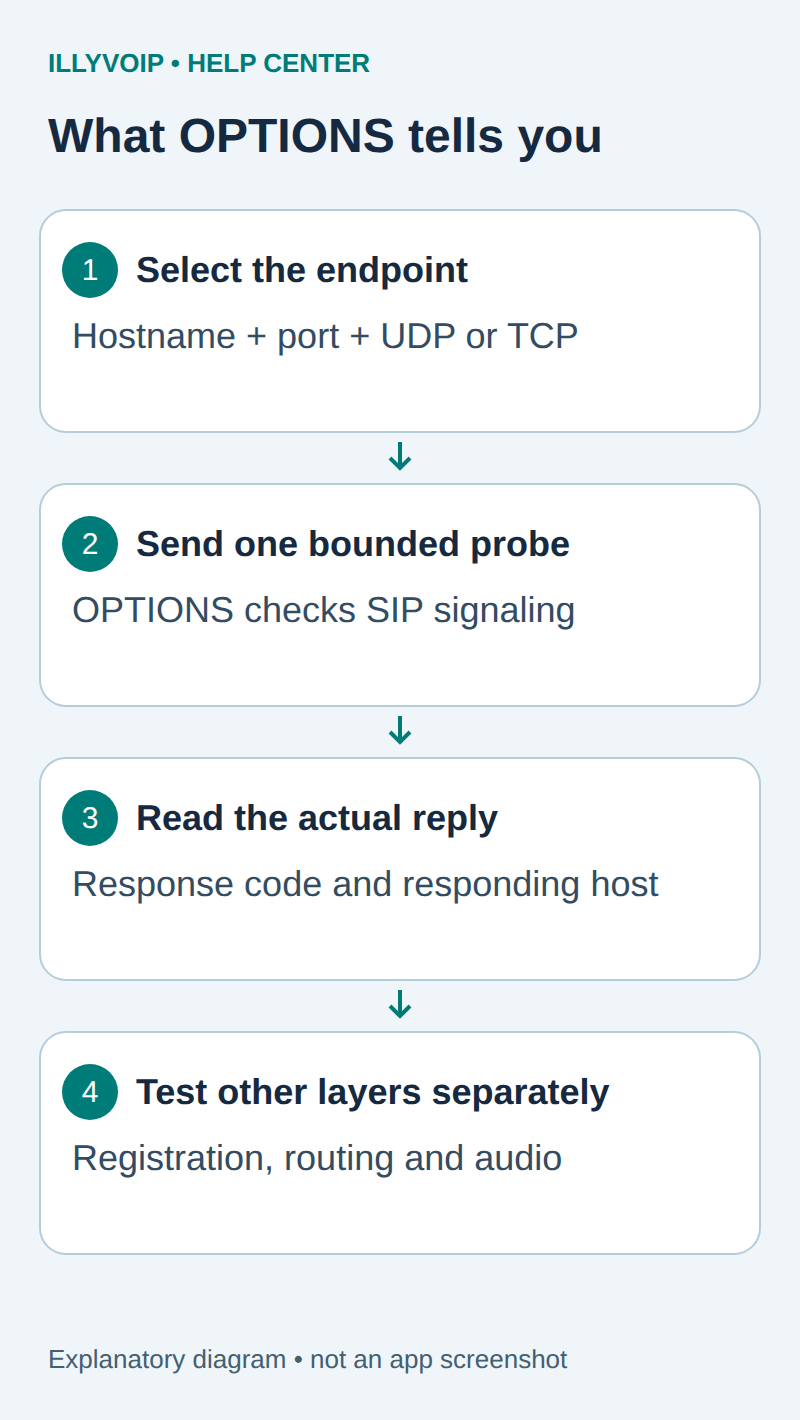
1. Identify the connection you actually need to test
In IllyVoIP, open Services → SIP Lines, select the relevant line and expand Technical endpoints. Record the intended regional hostname, destination port and transport. Keep the authentication method and any source-IP restriction in mind, but do not copy a password into this test.
Test from the affected phone network or customer-controlled PBX host where possible. A response from your laptop on another network does not establish that the original device has the same route, DNS result or allowed public IP. A provider can also restrict OPTIONS independently from registration and calls.
Distinguish the remote server port from the local source port used by the diagnostic tool. Do not start a second SIP service on a port already occupied by a working PBX.
2. Check the installed tool and its transport support
sipsak --version
sipsak --help
man sipsak
Obtain sipsak through your operating system’s package repository or its upstream project, using your normal software-management procedure. Do not install or upgrade packages on a production PBX without assessing the change.
The upstream manual documents -E udp and -E tcp. This walkthrough covers UDP and TCP. Some builds also expose TLS options, but TLS requires separate certificate and server-name checks and is outside this example. If your IllyVoIP endpoint requires TLS, use logs from the actual TLS-capable client or ask Support for the appropriate check. Do not downgrade the working line or send unencrypted SIP to its TLS port.
3. Send one bounded OPTIONS transaction
The following Linux shell example uses UDP. Replace the reserved example hostname and port with the endpoint from your line only when that endpoint uses UDP. The reserved hostname deliberately cannot identify a real IllyVoIP server.
sip_probe_host='sip.example.invalid'
sip_probe_port='5060'
timeout 10s sipsak -E udp -s "sip:${sip_probe_host}:${sip_probe_port}" -v
sip_probe_status=$?
printf 'Process exit code: %s\n' "$sip_probe_status"
For a documented TCP endpoint, use its actual port and change the transport argument to -E tcp. Linux timeout is a separate command, usually supplied by GNU coreutils; confirm it is available before using this example. The ten-second bound is a short diagnostic window, not a new SIP timer policy.
With no alternative mode selected, sipsak builds an OPTIONS request. The default SIP transaction can retransmit while waiting, so “one transaction” does not mean exactly one packet. Do not enable flood mode, registration/user-location tests, fuzzing, an address range or repeated monitoring against the service.
A host-only URI checks the endpoint generally. If Support requests a particular user URI, use the supplied SIP identity deliberately; that may produce a different response. Do not guess telephone numbers or enumerate users.
4. Read the response before interpreting the exit code
- 200 response: a SIP responder answered the OPTIONS request. This is useful signaling evidence, not a successful registration or a completed call.
- 401 or 407 challenge: a responder requested authentication. Since this check did not submit your account credentials, the challenge alone does not show that your stored password is wrong.
- 403 or another rejection: keep the exact status and responding address. A policy may reject probes, the source address or the requested resource; do not infer a single cause from the status alone.
- 404 or 405: inspect the requested URI and method policy. A host-level diagnostic request can be treated differently from a real account transaction.
- No reply: check local errors, DNS, the chosen transport/port and network path. Silence can also reflect filtering or a service that does not answer this probe.
The upstream manual associates exit 0 with a successful 200 response, 1 with a non-success final SIP response, 2 with a local error, and 3 with a remote/socket or no-answer problem. Read the actual output rather than treating those numbers as SIP status codes. GNU timeout normally returns 124 when its time limit expires; that is the wrapper’s result, not a SIP 124 response.
5. Compare evidence with the real failure
If OPTIONS answers but REGISTER fails, inspect the actual client’s registration response, identity, authentication method and permitted source. If registration works but calling fails, investigate the INVITE transaction, dialed digits, account state and caller-ID policy. If a call connects but audio fails, OPTIONS cannot diagnose its negotiated RTP path.
If you compare two networks, keep the hostname, port and transport constant and record which network produced each result. With IP-authenticated service, a different public source IP may intentionally have different permissions. Do not keep changing passwords, NAT settings and transports together.
For packet evidence, use the sngrep guide or a focused Wireshark trace. An encrypted signaling stream cannot be read as ordinary SIP merely by opening a capture.
6. Send a useful, private support report
Include the tool/version, timestamp and timezone, endpoint hostname/port/transport, the network used, the process exit code and the exact SIP response or local error. Explain the original symptom and whether registration or a controlled call still fails. Share public IPs, account identifiers and any logs through a private support channel. Redact passwords and Authorization or Proxy-Authorization material from unrelated captured traffic.
Do not leave a probe loop running after collecting the evidence. This procedure changes no SIP line settings and establishes no call charges, audio quality or availability guarantee.
Reference: official sipsak manual. Reviewed October 11, 2026. The explanatory image is not a captured provider response.