
To send an SMS when a WooCommerce order reaches a chosen status, connect a WooCommerce webhook to a server-side receiver that calls the IllyVoIP SMS API. This is a custom integration, not an IllyVoIP WooCommerce plugin. A developer must deploy the receiver and its durable message store.
Start with one transactional notification and a test order containing a phone number you control. You need permission to manage WooCommerce webhooks, a private HTTPS receiver, an IllyVoIP API key, an allowed sender and appropriate account access/balance. Use supported WooCommerce software and its current webhook interface.
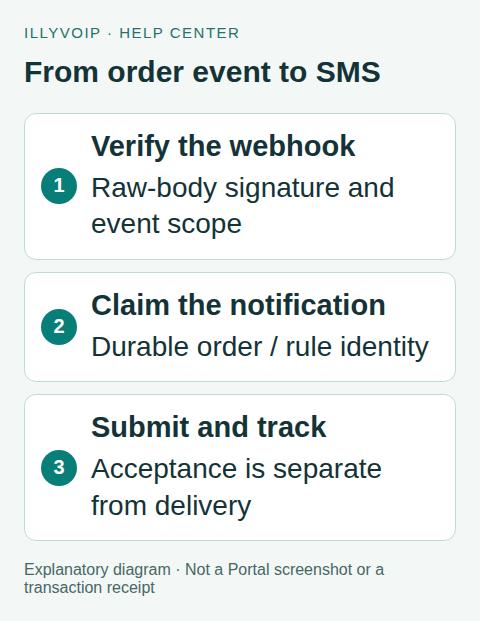
1. Define exactly which event earns a message
Choose a business rule such as “send the ready notification once when this order first reaches our chosen status.” An order.updated event can occur for many reasons; it is not proof of payment or a new fulfillment event. Define the eligible status and any business-specific condition before wiring the trigger.
Decide which contact field supplies the recipient and whether the person expects that notification. A checkout phone number is not automatic permission for unrelated marketing. Store it in international format or normalize it using an explicit country and reviewed rules. Do not guess a country code from the shop’s location.
2. Create the WooCommerce webhook
In WooCommerce → Settings → Advanced → Webhooks, add an endpoint for the relevant order event. Enter your HTTPS receiver URL and a strong webhook secret. Keep it paused until the receiver is ready; then activate it for a controlled test.
The WooCommerce webhook secret verifies incoming shop events. It is different from the IllyVoIP API key used to submit SMS. Keep both server-side. Review delivery logs to distinguish a WooCommerce dispatch failure from an SMS submission or delivery failure.
3. Verify the request before processing it
Verify the WooCommerce signature against the original raw request body before parsing or trusting the order. This Python helper illustrates the comparison; call it inside your HTTPS receiver with the actual raw bytes, configured secret and X-WC-Webhook-Signature header:
import base64, hashlib, hmac

def valid_woocommerce_signature(raw_body, signature, secret):
    if not isinstance(signature, str) or not signature or not signature.isascii():
        return False
    expected = base64.b64encode(hmac.new(
        secret.encode("utf-8"), raw_body, hashlib.sha256
    ).digest()).decode("ascii")
    return hmac.compare_digest(expected, signature)
Apply request-size limits and authenticate the intended shop. Handle WooCommerce’s connection test separately from a real order event; a payload without an eligible order must not send SMS. If authenticity fails, reject it. If your receiver cannot durably accept a valid event, do not pretend processing succeeded.
4. Claim the business notification once
Use a durable database record with a unique business key such as shop_id + order_id + notification_kind + rule_version. That is your once-per-notification policy; a delivery-attempt ID alone is insufficient because different webhook deliveries can describe the same order state.
- Validate the order and intended notification rule.
- Atomically insert or claim the business key. If it already exists, inspect its state instead of creating another message.
- Freeze the reviewed sender, recipient, text and one IllyVoIP idempotency key.
- Acknowledge the webhook only after the event is stored, then let a worker perform the network request.
For delayed processing, recheck whether cancellation or a changed status makes the notification obsolete before the worker claims it for sending. Once a paid request has an uncertain outcome, do not change its payload or silently replace its key.
5. Submit the SMS from the worker
The worker sends POST /api/v1/sms/messages on the https://api.illyvoip.com base URL with X-Api-Key, the saved Idempotency-Key and JSON content type. Build the body with a JSON serializer:
{
  "from": "YOUR_ALLOWED_SENDER",
  "to": ["YOUR_AUTHORIZED_E164_RECIPIENT"],
  "message": "Your order update is ready. Please check your account."
}
Replace these placeholders only after review. Avoid sensitive order details or access tokens in message text. Encoding and segment count affect cost; preview representative wording and verify the account’s current destination availability before enabling traffic.
For a single recipient, require HTTP success, JSON success and an accepted message reference before marking the record submitted. Save returned queued message IDs, invalid-recipient details and the response classification. Submission is not delivery.
6. Reconcile uncertainty and delivery
If the connection times out after submission, retain the original payload and key and mark the record uncertain. Do not have WooCommerce, your queue and a retry script independently resend it. Resolve the original operation using the API’s current duplicate-request rules, message history and any returned reference.
Track accepted messages through the status endpoint or verified IllyVoIP delivery webhooks. Store the SMS delivery outcome separately from the WooCommerce order status; a delivery failure must not cancel or refund an order automatically unless your own reviewed business process calls for that.
7. Test before activating order traffic
Use local fixtures first: valid/invalid signature, webhook test payload, duplicate order update, ineligible status, invalid phone, canceled-before-send order, accepted SMS and lost response. Confirm that concurrent events cannot claim the same notification twice. Then perform one authorized live test if you choose to incur the charge and inspect both systems’ records.
Set a bounded worker rate, alert on uncertain submissions and pause dispatch if the integration misbehaves. Keep the webhook log, business key and message reference; exclude secrets and unrelated customer details from support evidence.
Frequently asked questions
Can I point WooCommerce directly at the SMS endpoint?
No. Its order payload is not the SMS request shape and still needs validation, mapping and duplicate protection. Use the receiver described above.
Does this require a particular SMS plugin?
No native plugin is assumed. This guide uses WooCommerce webhooks and your own integration code.
Related guides and references
- Send sms api track delivery
- Send sms n8n
- Appointment sms reminders api
- Official reference: woocommerce.com
- Official reference: api.illyvoip.com
Reviewed 8 October 2026 against current IllyVoIP source and official documentation. Configuration examples are not evidence of a completed hardware or live integration test. Use the current options and limits available to your account.