
Send an approved Zoho CRM workflow notification through IllyVoIP SMS using a custom function, a protected Connection and a durable integration queue. The workflow submits a stable business event; a server-side worker performs the paid SMS request once.
This guide requires a Zoho CRM edition and permissions that support custom modules, workflow functions and Connections. It is a custom integration, not a built-in IllyVoIP button or a promise that every CRM plan includes these features.
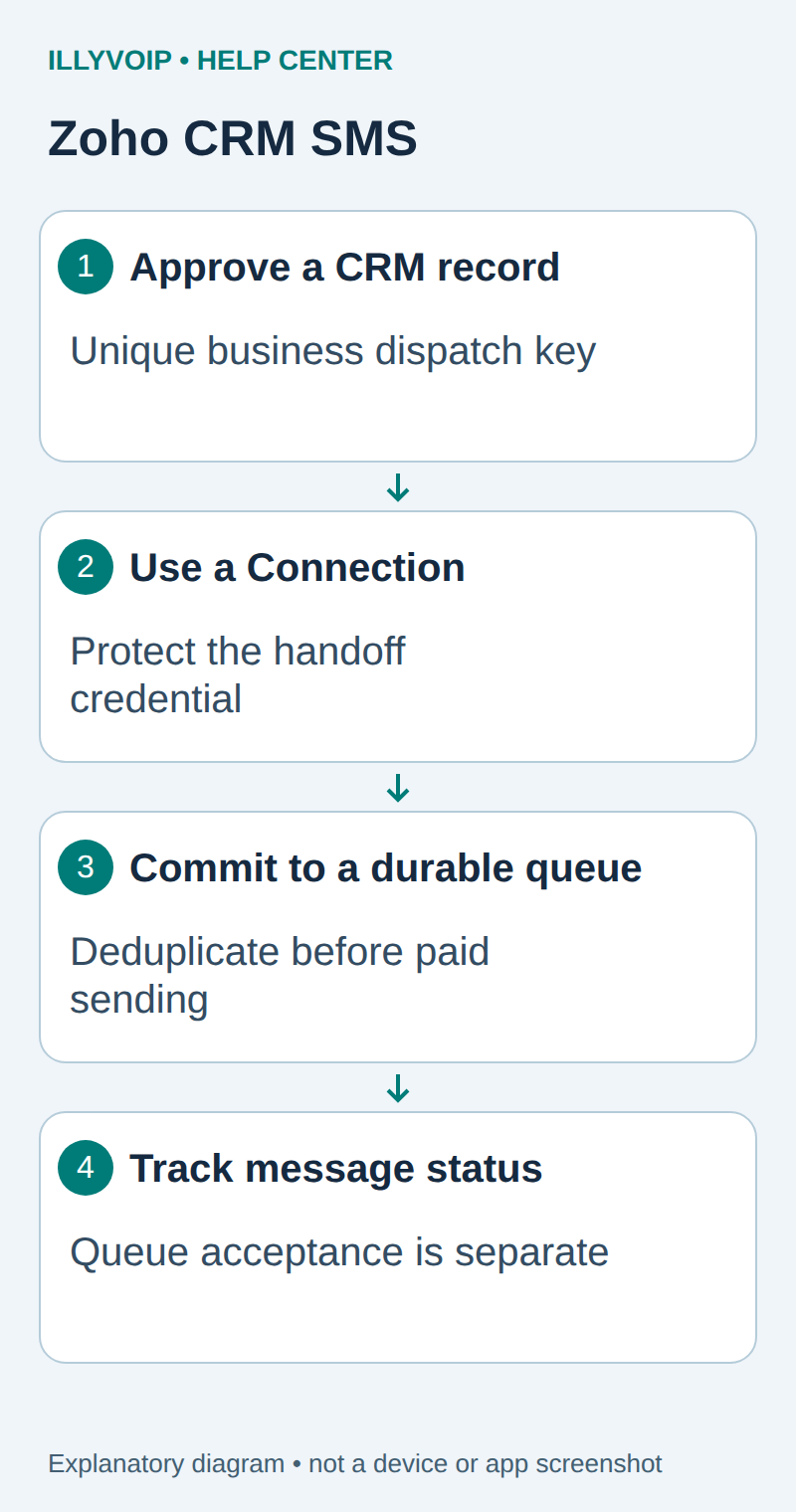
1. Create an explicit notification record
Create a custom module for approved SMS notifications with these fields. The API names below are examples you must match to your module's actual API names.
| Example API name | Purpose |
|---|---|
| SMS_Notifications | Custom module API name. |
| Dispatch_Key | A unique business-event key, such as the source record, event type and version. Configure uniqueness. |
| Recipient_E164 | Verified international recipient, not an arbitrary unreviewed contact phone. |
| Message_Text | The approved transactional message snapshot. |
| Approved | Administrator-controlled eligibility checkbox. |
| Handoff_State | Local queue handoff result, separate from delivery status. |
Restrict who can approve or edit these records. Freeze Dispatch_Key, recipient and text after approval. Creating a second notification record for the same source event must be prevented by the unique Dispatch_Key, not merely by checking an editable status field.
In IllyVoIP, manage your API key under Account Settings → API and review the SMS endpoint in the API documentation or API Playground. Confirm that your account may send to the intended destination and that the sender is permitted. A virtual number does not automatically grant SMS capability or sender approval. Check the balance, destination price and customer authorization before the first real message.
Install the durable SMS worker
Use a private Python 3 application directory and virtual environment with requests and gunicorn. Save the following as sms_core.py. Keep its SQLite database on persistent local storage, owned by the application user with a private parent directory. This single-host example is not a shared network-filesystem or multi-region queue.
import hashlib, json, os, re, sqlite3, sys
import requests

DB = os.environ['SMS_DB']
SENDER = os.environ['ILLYVOIP_SMS_FROM']
API = 'https://api.illyvoip.com/api/v1/sms/messages'

def connect():
    c = sqlite3.connect(DB, timeout=10)
    c.execute('PRAGMA busy_timeout=10000')
    return c

def init():
    with connect() as c:
        c.execute('''CREATE TABLE IF NOT EXISTS jobs (
          event TEXT PRIMARY KEY, payload TEXT NOT NULL,
          idem TEXT NOT NULL UNIQUE, state TEXT NOT NULL,
          receipt TEXT, created TEXT DEFAULT CURRENT_TIMESTAMP)''')

def enqueue(event, phone, message):
    if not isinstance(event, str) or not 1 <= len(event) <= 300:
        raise ValueError('Invalid event')
    if not isinstance(phone, str) or not re.fullmatch(r'\+[1-9][0-9]{7,14}', phone):
        raise ValueError('Use a verified international recipient')
    if not isinstance(message, str) or not 1 <= len(message) <= 500:
        raise ValueError('This example accepts 1-500 characters')
    payload = json.dumps({'from': SENDER, 'to': [phone],
                          'message': message}, sort_keys=True,
                         ensure_ascii=False, separators=(',', ':'))
    idem = 'sms-' + hashlib.sha256(event.encode()).hexdigest()
    with connect() as c:
        c.execute('INSERT OR IGNORE INTO jobs(event,payload,idem,state) '
                  "VALUES(?,?,?,'pending')", (event, payload, idem))
        row = c.execute('SELECT payload,state FROM jobs WHERE event=?',
                        (event,)).fetchone()
        if row[0] != payload:
            raise ValueError('Event already exists with another payload')
        return row[1]

def dispatch(event, post=requests.post):
    with connect() as c:
        claim = c.execute("UPDATE jobs SET state='sending' "
                          "WHERE event=? AND state='pending'", (event,))
        if claim.rowcount != 1:
            return False
        payload, idem = c.execute('SELECT payload,idem FROM jobs WHERE event=?',
                                 (event,)).fetchone()
    # The durable claim is committed BEFORE a paid request can start.
    state, receipt = 'unknown', {'reason': 'No confirmed response'}
    try:
        r = post(API, headers={'X-Api-Key': os.environ['ILLYVOIP_API_KEY'],
                 'Idempotency-Key': idem, 'Content-Type': 'application/json'},
                 data=payload.encode(), timeout=(5, 20), allow_redirects=False)
        data = r.json()
        receipt = {'http_status': r.status_code, 'response': data}
        ids = data.get('queued_message_ids', []) if isinstance(data, dict) else []
        if 200 <= r.status_code < 300 and isinstance(ids, list) and len(ids) == 1 and isinstance(ids[0], (str, int)) and str(ids[0]):
            state = 'accepted'
        elif r.status_code in (400, 401, 403):
            state = 'rejected'
    except Exception:
        pass  # Never log credentials, recipients or an exception's request body.
    with connect() as c:
        c.execute('UPDATE jobs SET state=?,receipt=? WHERE event=?',
                  (state, json.dumps(receipt), event))
    return True

if __name__ == '__main__':
    init()
    if sys.argv[1:] == ['work']:
        with connect() as c:
            events = c.execute("SELECT event FROM jobs WHERE state='pending' "
                               'ORDER BY created LIMIT 20').fetchall()
        for (event,) in events:
            dispatch(event)
    elif sys.argv[1:] != ['init']:
        raise SystemExit('Use: python sms_core.py init | work')
Provide SMS_DB as the absolute database path, ILLYVOIP_SMS_FROM as your permitted sender and ILLYVOIP_API_KEY through your server's private secret environment. Initialize with python sms_core.py init. The key belongs on this server, never in a browser, CRM note, webhook URL or public repository.
Run python sms_core.py work through a service timer or job runner after the first controlled test. Each invocation handles at most twenty pending events. A conditional database update claims an event before the network request, so concurrent workers cannot both send it. Do not remove the database when redeploying.
The 500-character limit is a conservative limit for this example, not a claim about the API's maximum. SMS encoding and multipart segments affect cost; check the actual message and destination pricing.
Run the authenticated handoff receiver
Save this as receiver.py beside the worker. Configure a new random SMS_BRIDGE_TOKEN of at least 32 characters, and the event prefix specified below. It is a separate credential from the IllyVoIP API key.
import hmac, json, os
from sms_core import enqueue

assert len(os.environ['SMS_BRIDGE_TOKEN']) >= 32
assert os.environ['SMS_EVENT_PREFIX']

def application(environ, start_response):
    status, result = '400 Bad Request', {'error': 'Invalid request'}
    try:
        if environ.get('REQUEST_METHOD') != 'POST' or environ.get('PATH_INFO') != '/notify':
            status = '404 Not Found'
        elif not hmac.compare_digest(environ.get('HTTP_X_INTEGRATION_TOKEN', ''),
                                     os.environ['SMS_BRIDGE_TOKEN']):
            status = '401 Unauthorized'
        else:
            size = int(environ.get('CONTENT_LENGTH') or 0)
            if not 0 < size <= 16384:
                raise ValueError('Invalid size')
            data = json.loads(environ['wsgi.input'].read(size))
            event = data['event_id']
            if not isinstance(event, str) or not event.startswith(os.environ['SMS_EVENT_PREFIX']):
                raise ValueError('Invalid namespace')
            state = enqueue(event, data['phone'], data['message'])
            status, result = '202 Accepted', {'event_id': event, 'state': state}
    except (ValueError, KeyError, TypeError):
        pass
    except Exception:
        status, result = '503 Service Unavailable', {'error': 'Queue unavailable'}
    body = json.dumps(result).encode()
    start_response(status, [('Content-Type', 'application/json'),
                            ('Content-Length', str(len(body)))])
    return [body]
Run gunicorn --bind 127.0.0.1:8080 receiver:application from the virtual environment, behind your managed HTTPS reverse proxy. Expose only the intended notification path, limit request bodies and request rates, and keep access logs free of credentials and message content. Configure service restart, private database backups and alerting for failures. The receiver must commit the event before returning 202; the paid send runs in the worker afterward.
Set SMS_EVENT_PREFIX to a unique prefix such as zoho:YOUR_ORG_ID:. Use a dedicated bridge credential for this CRM integration. The IllyVoIP API key remains on the worker; the Connection stores only the credential required to submit to your controlled receiver.
2. Create the protected Connection
In Setup → Developer Space → Connections, create a custom service using API-key authentication. Configure its authentication parameter as the header X-Integration-Token, enter the bridge token through the protected Connection setup and give the authorized Connection the link name illy_sms_bridge.
Follow your account's current Connections interface for the exact creation screens. Confirm the header is sent as a header, not a query parameter. Do not paste a secret into the function source or print it with a debug statement. Limit which functions/users may use this Connection.
3. Add the workflow function
Create a workflow for the notification module that runs only when Approved becomes true. Map the record ID into a function argument named notification_id. Use the function editor's generated wrapper and put the following in its body, replacing the HTTPS host, organization identifier and example API names.
record = zoho.crm.getRecordById("SMS_Notifications", notification_id.toLong());
if(record.get("Approved") == true)
{
    payload = Map();
    payload.put("event_id", "zoho:YOUR_ORG_ID:" + record.get("Dispatch_Key"));
    payload.put("phone", record.get("Recipient_E164"));
    payload.put("message", record.get("Message_Text"));
    headers = Map();
    headers.put("Content-Type", "application/json");
    response = invokeurl
    [
        url : "https://YOUR_INTEGRATION_HOST/notify"
        type : POST
        headers : headers
        body : payload.toString()
        connection : "illy_sms_bridge"
        detailed : true
    ];
    if(response.get("responseCode") == 202)
    {
        update = Map();
        update.put("Handoff_State", "Accepted by queue");
        result = zoho.crm.updateRecord("SMS_Notifications", notification_id.toLong(), update);
    }
}
Use a JSON text body with the matching Content-Type. Do not supply both body and parameters. A 202 response means your private queue accepted or already knew the immutable event; it is not proof that IllyVoIP delivered a message.
Configure the workflow so updating Handoff_State does not create a new notification record or a new Dispatch_Key. If a duplicate invocation still occurs, the queue's unique event and atomic claim protect the paid send. A timeout from the function is an uncertain handoff; retry the same event rather than creating another notification.
4. Validate permissions and duplicate behavior
- Run an unapproved test record. It must not create an SMS job.
- Approve one authorized test notification and invoke the function with the worker paused.
- Confirm the private receiver stored one pending row and the CRM shows only queue acceptance.
- Invoke the same function again, including a concurrent staging test. Confirm the job count remains one.
- Attempt a changed recipient or message under the same key in staging; the receiver must reject the mismatch.
- Run the worker for one real authorized recipient, then inspect the queued message ID and delivery result.
Check the function's execution history for HTTP status and a non-sensitive event reference. Avoid logging the full CRM record, Connection headers or SMS content. Zoho's external-call limits still apply to the handoff requests.
Interpret acceptance and delivery separately
The local state pending means the event is durably queued in your integration. accepted means the IllyVoIP response contained the single queued message ID expected by this example. It does not mean the recipient received the SMS. Store the receipt privately and inspect rejected recipients separately.
Use the returned ID with the status endpoint, or configure delivery webhooks in Account Settings → Integrations / CRM & webhooks. Subscribe to the relevant SMS events and correlate data.message.message_id with the saved queued ID. The idempotency key is not included in those webhooks.
GET https://api.illyvoip.com/api/v1/sms/messages/status?message_id=RETURNED_ID
X-Api-Key: YOUR_SERVER_SIDE_KEYunknown, or a job left in sending after a process crash, requires reconciliation. It must not be reset automatically to pending. Inspect IllyVoIP history/status and the private receipt before deciding whether another attempt is appropriate. If an approved retry is needed, keep the same saved payload and idempotency key; never generate a fresh key merely because a timeout occurred.
A rejected request needs its actual validation or permission issue corrected. If the intended recipient, sender or text changes, treat that as a separately approved event version, after resolving any earlier ambiguous send. Keep event identities longer than the source system's replay/retry period, including backups and manual replays.
Finish the CRM feedback loop
Use a separate trusted status-sync job or verified delivery-webhook handler to update the notification record with the queued message ID and delivery state. Maintain an explicit event-to-record mapping in that service. Do not turn a delivery failure into a new approval automatically, and do not call a status field Delivered simply because the function returned 202.
If the Connection fails, inspect its header configuration and authorized user. If the receiver rejects the event, compare the prefix and frozen payload. If the CRM update fails after enqueue, retain the same Dispatch_Key when retrying; the queue may already contain the event.
References: Zoho invokeUrl, CRM Connections and IllyVoIP API reference. Reviewed October 11, 2026. Validate the function and field permissions in your CRM tenant before enabling production workflow execution.