
Asterisk logs can show which dialplan path and trunk handled a call, what the SIP driver sent, and how the PBX interpreted a response. They are especially useful when a network capture contains encrypted TLS traffic that a packet viewer cannot decode.
This guide is for administrators of a customer-controlled Asterisk PBX using PJSIP, with Asterisk 20/22-style CLI commands. Check local command help on your installed version. For FreePBX or another managed distribution, use its supported logging configuration and avoid editing generated files. IllyVoIP Support does not need unrestricted access to your PBX.
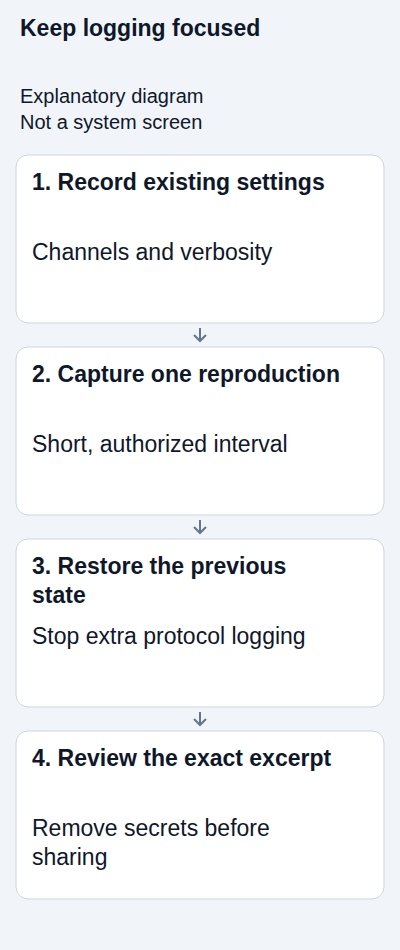
1. Define one reproduction and protect its data
Choose one failed workflow, extension and authorized destination. Record the time and timezone, software version and current IllyVoIP SIP line. If a report already exists, save its public call reference. Agree a short diagnostic interval with the PBX owner.
Endpoint SIP logging may expose authorization headers, phone numbers, SDP encryption keys and other private values even when transport is encrypted. Restrict log access and storage. Do not enable broad debugging on a busy system indefinitely or post the resulting file to a public issue tracker.
2. Inspect the baseline before enabling anything
From an authorized shell on the PBX:
sudo asterisk -rx 'core show version'
sudo asterisk -rx 'core show settings'
sudo asterisk -rx 'logger show channels'
sudo asterisk -rx 'core show help pjsip set logger'
Record the current debug and verbosity settings and which channels write to files. A console displaying messages does not automatically mean a suitable file is being saved. Use the configured log directory and channel paths, not an assumed location from another installation.
Do not copy command output containing system details into a public post. If PJSIP logger commands are absent, verify the installed driver and module with the administrator instead of substituting legacy sip set debug commands.
3. Choose the smallest useful logging change
Existing logs may already contain the answer. Inspect the relevant time interval first. If Support needs more detail, use your PBX's supported logging controls to add only the required categories and ensure the destination has sufficient space.
Asterisk can have several file and console channels, each with its own message categories. Raising verbosity will not help if the chosen destination excludes the messages you need. On managed systems, use the GUI or documented custom configuration mechanism rather than editing generated configuration.
For an agreed short PJSIP trace, the following turns protocol logging on:
sudo asterisk -rx 'pjsip set logger on'This is a real runtime change and may log traffic for other calls. Use a supported host filter if your version provides one and you have verified the relevant peer address; otherwise choose a quiet interval and keep the capture brief. Do not assume a filter catches every address behind a hostname.
If additional verbosity is required, record the previous level before setting a temporary one. For example, an administrator may use the following for a short reproduction:
sudo asterisk -rx 'core set verbose 3'Do not enable global debug just because a command appears in an unrelated recipe. The appropriate categories and level depend on the question. Asterisk's dynamic logging channels and logger reloads also have lifecycle effects; follow the official instructions if adding a temporary channel.
4. Reproduce once and follow both call legs
Make the agreed short call to a number you control. Normal charges can apply. Note its start, result and end. For incoming trouble, identify the DID and receiving destination privately and make one authorized inbound test.
- Find the extension's call and the dialplan context it entered.
- Confirm the selected provider endpoint/trunk and final called address.
- Follow the relevant request and final response, including preceding challenges or provisional responses where they explain the result.
- Record the SIP Call-ID for each leg and any Asterisk channel identifiers used to correlate them.
Asterisk can create different dialogs for the extension and provider legs. Its internal identifiers are not automatically the public IllyVoIP call reference. Keep identifiers with the time, direction and leg they describe.
If Asterisk never attempts the provider leg, investigate its local route before assigning the failure to IllyVoIP. A line containing an error code is useful evidence, but surrounding events are often needed to explain it.
5. Restore the previous logging state immediately
If you enabled PJSIP protocol logging for this test and it was previously off, turn it off:
sudo asterisk -rx 'pjsip set logger off'Restore the exact prior verbosity/debug settings you recorded, rather than assuming zero was the previous state. Coordinate with other administrators if a separate diagnostic session was already active. Remove only a temporary channel or configuration line that you added for this case through the supported configuration path.
Recheck core show settings and logger show channels, and confirm the extra trace has stopped. Avoid a PBX restart or global log rotation solely to tidy this case; those actions can affect active work and unrelated evidence.
6. Review the excerpt you will actually send
Keep the original log private. Make a separate small excerpt containing the relevant setup, failure and cleanup sequence. Inspect that exact file for credentials, Authorization and Proxy-Authorization headers, tokens, SDP key material and unrelated caller details. Redact consistently so the remaining identifiers can still be correlated.
Do not assume transport encryption makes an endpoint log safe to share. Do not paste the full log into public chat, forums or screenshots. If you cannot safely sanitize it, ask Support for a smaller set of fields or a secure submission method.
Include a short explanation: expected result, observed result, time/timezone, PBX version, authentication mode, affected line, public reference and what changed recently. State whether the excerpt covers the extension leg, provider leg or both.
When the log still does not answer the question
If the file is empty, check the output channel, categories and time window. If only the console shows the messages, verify where that category is saved. If the call is absent, confirm you inspected the right PBX node and selected route.
If signaling succeeds but audio fails, use the negotiated media details and network evidence to investigate audio separately. A SIP trace alone is not proof that RTP reached both endpoints or that the recipient heard the call.
Related guides and references
- Connect an Asterisk PJSIP trunk to IllyVoIP
- Capture a SIP call trace for IllyVoIP Support with Wireshark
- Fix One-Way or Missing Audio on SIP Phones and PBXs
- How to Read and Understand Your VoIP Call Reports (CDR)
- Asterisk logging commands
- Asterisk: collecting debug information
- Asterisk logging configuration
Reviewed 10 October 2026 against current IllyVoIP guidance and the official references above. Version-specific commands and menus need to match your installation. This guide does not claim a completed call test on your PBX or network.