
Use the phone-number configuration API to change where calls to an existing IllyVoIP number are sent. Read the number’s current configuration first, choose an available destination, save the change, and read it back. This does not order a new number or change the number that callers dial.
This guide is for a developer maintaining an account-authorized backend. You need an active number on the account, its order ID, a securely stored Production API key, and permission to change incoming-call handling. The examples use cURL and jq. An order ID is not the telephone number itself; obtain it from your account’s orders response.
1. Decide what should receive the calls
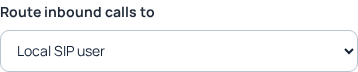
For a manual change, open Services → Phone Numbers → Configure for the intended number. The API provides a programmatic route to the existing configuration workflow. It supports a SIP line, queue, external telephone number, SIP URI or external SIP server. Use the choices returned for the actual order and account.
The Portal also has Voice Agent and Voice API Control routing. Do not send those Portal route names to this API endpoint: they are not among its currently documented routing types. Follow the corresponding Portal guide when selecting those destinations.
Have the receiving system ready before changing a working number. Check that the SIP line belongs to the account, the queue has the intended agents, or the external destination is reachable. Forwarding to an external telephone number can create billable outgoing usage. A saved route is not a guarantee of a successful call.
2. Read and retain the current configuration
curl --silent --show-error --fail-with-body --get \
  'https://api.illyvoip.com/api/v1/dids/orders/config' \
  -H "X-Api-Key: ${ILLYVOIP_API_KEY:?Set the server-side key}" \
  --data-urlencode "order_id=${ORDER_ID:?Set the owned order ID}" \
  > current-route.json
Check the HTTP result and JSON status. Inspect data.order, data.routing, data.options, data.supported_types and data.supported_regions. Confirm the displayed number matches the one you intend to change. Keep the previous configuration privately for recovery; it contains account-specific destinations.
Do not simply POST the GET response back. The read model and write model differ: for example, the current route can contain nested targets while the write request places the selected SIP identity directly inside routing. Construct a write request using the save endpoint’s documented fields.
3. Build the intended routing request
This example selects one of the account’s SIP lines. Set SIP_USER_ID from the returned SIP-line choices. Do not substitute a Portal user ID, an internal database ID or an example identity.
jq -n \
  --argjson order "${ORDER_ID:?Set the owned order ID}" \
  --arg sip "${SIP_USER_ID:?Set an available SIP identity}" \
  '{order_id:$order,routing:{type:"sip_line",sip_user_id:$sip}}' \
  > intended-route.json
For other destinations, use the matching field: queue_id with queue, phone_number with pstn, sip_uri with sip_uri, or external_sip_server with external_sip_server. Consult the endpoint reference for the accepted value format. Only external SIP server and SIP URI routes use the execution-region control; choose a supported region rather than inventing a hostname.
4. Save once and verify the result
curl --silent --show-error --fail-with-body \
  'https://api.illyvoip.com/api/v1/dids/orders/config' \
  -H "X-Api-Key: ${ILLYVOIP_API_KEY:?Set the server-side key}" \
  -H 'Content-Type: application/json' \
  --data-binary @intended-route.json > save-route-response.json
Inspect the HTTP status, JSON status, saved flag and message. Repeat the read-only GET from step 2 and compare the saved route with your intended destination. If the save response was lost, read the current state before deciding whether another save is needed. This guide does not assume an idempotency header makes routing changes transactional or provides an automatic rollback.
Coordinate changes through one application workflow. A GET followed by POST is not an exclusive lock against another administrator editing the number. If the current route differs unexpectedly, stop and resolve the competing change instead of overwriting it.
5. Check incoming handling and recover deliberately
When an authorized live check is appropriate, call the number from a controlled caller and confirm the intended destination rings or handles the call. Check the call result as well as the saved configuration. Keep the previous destination available until the new path is confirmed.
If recovery is necessary, reread the current configuration and deliberately construct a request for the previous supported route. Do not overwrite someone else’s subsequent edit. Keep the order reference, change time and sanitized API error for Support.
Troubleshooting
Destination rejected: refresh the order’s available choices and confirm the identity or queue belongs to this account. Order unavailable: check the ID, ownership and number state. Saved but no ringing: investigate the receiving system, number state and call evidence; do not assume a carrier fault. Timeout: inspect current configuration before retrying.
Related guides and reference
- How to order a DID Number and start making calls
- Check the destination when your IllyVoIP number does not ring
- Route an incoming number to Voice API Control and answer it from your application
- Read number routing
- Save number routing
Reviewed 10 October 2026 against the current IllyVoIP reference and implementation. SDK examples target version 1.4.2 where applicable. Local example checks do not certify a completed live call, routing change or third-party integration.