
Generate an audio file from text with the IllyVoIP text-to-speech API in server-side JavaScript. This Node.js example discovers the correct voice catalog, submits one synthesis request, saves its JSON receipt and decodes the returned audio into a WAV or MP3 file.
This is the standalone speech API. It is separate from a browser's SpeechSynthesis API and from playing a prompt into a live Voice API call.
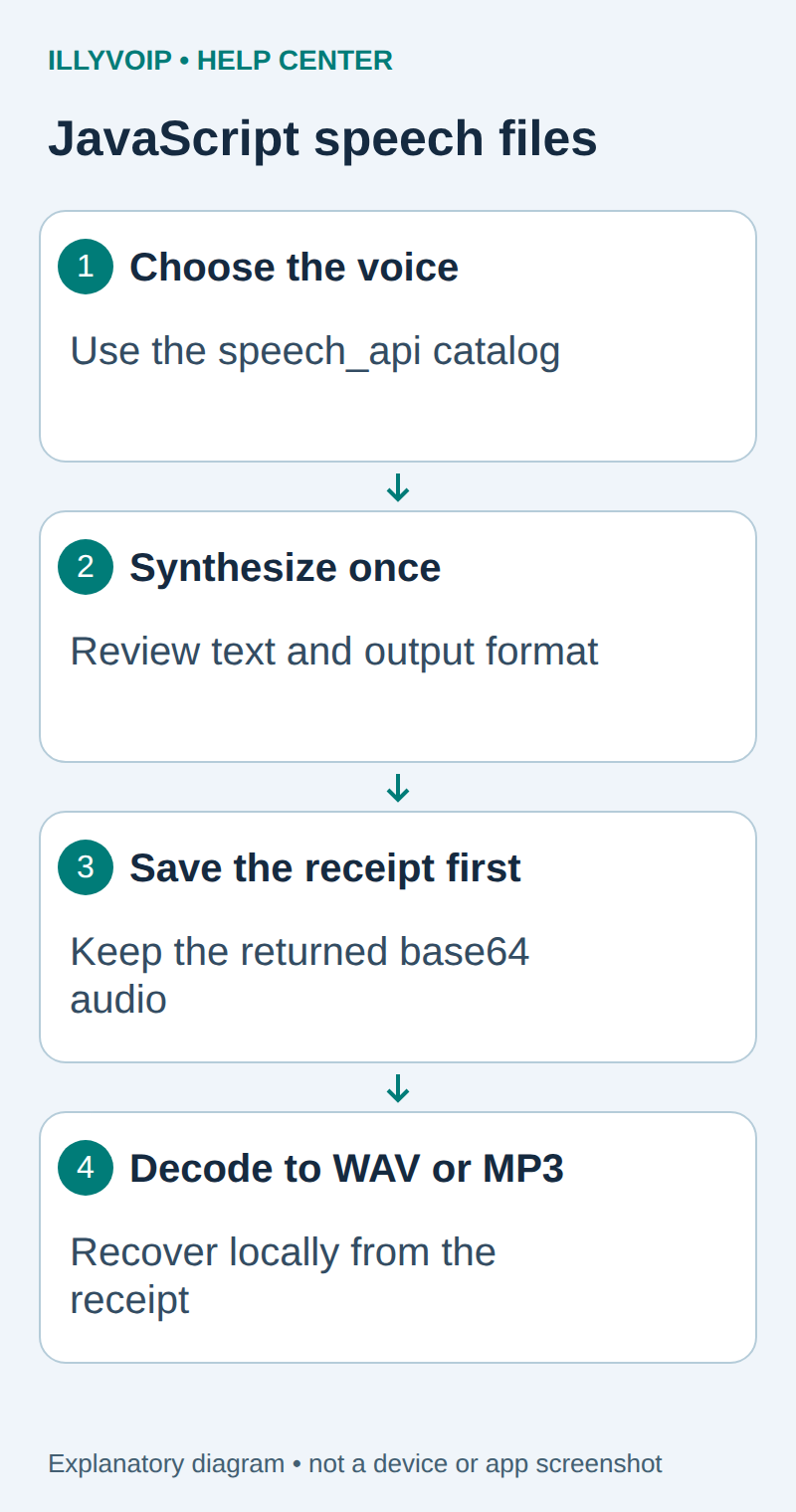
1. Prepare Node.js and the API key
Use a supported Node.js release with built-in fetch and AbortSignal.timeout, such as a maintained Node.js 22 or later release. Create a private working directory for input text, audio and receipts. The text and audio may contain personal information, so give these files only the access your application needs.
Manage your IllyVoIP key in Account Settings → API and inject it through the private server environment as ILLYVOIP_API_KEY. Do not include it in client-side JavaScript, a public repository or a browser request. Check balance and current speech pricing before synthesis: submitted text is billed by character.
2. Save the client
Save the following as tts.mjs. It uses the dedicated speech_api catalog and deliberately performs no automatic synthesis retry.
import {open, readFile} from 'node:fs/promises';
import {pathToFileURL} from 'node:url';
const base = 'https://api.illyvoip.com/api/v1/tts/';

export function decodeAudio(data, format) {
  const types = format === 'wav' ? ['audio/wav', 'audio/x-wav'] : ['audio/mpeg', 'audio/mp3'];
  if (data.status !== 'success' || !types.includes(data.mime_type))
    throw new Error('Unexpected synthesis status or MIME type');
  const s = data.audio_base64;
  if (typeof s !== 'string' || !s.length || s.length % 4 ||
      !/^[A-Za-z0-9+/]+={0,2}$/.test(s))
    throw new Error('Invalid base64 audio');
  const bytes = Buffer.from(s, 'base64');
  if (!bytes.length || bytes.toString('base64') !== s)
    throw new Error('Noncanonical or empty audio');
  return bytes;
}
async function writeNew(path, bytes) {
  const file = await open(path, 'wx', 0o600);
  try { await file.writeFile(bytes); await file.sync(); }
  finally { await file.close(); }
}
export async function run(args, fetcher = fetch) {
  const [command, language, voice, input, output] = args;
  if (command === 'decode') {
    const saved = JSON.parse(await readFile(language, 'utf8'));
    await writeNew(voice, decodeAudio(saved.response, saved.format));
    return;
  }
  const key = process.env.ILLYVOIP_API_KEY;
  if (!key) throw new Error('Set ILLYVOIP_API_KEY on the server');
  async function request(path, payload) {
    const r = await fetcher(base + path, {
      method: payload ? 'POST' : 'GET', redirect: 'error',
      headers: {'X-Api-Key': key, 'Content-Type': 'application/json'},
      ...(payload ? {body: JSON.stringify(payload)} : {}),
      signal: AbortSignal.timeout(30000)
    });
    if (!r.ok) throw new Error(`API returned HTTP ${r.status}; inspect before retry`);
    return r.json();
  }
  if (command === 'languages') {
    console.log(JSON.stringify(await request('languages?context=speech_api'), null, 2));
    return;
  }
  if (command === 'voices' && language) {
    console.log(JSON.stringify(await request('voices?context=speech_api&language=' +
                                            encodeURIComponent(language)), null, 2));
    return;
  }
  if (command !== 'synthesize' || !language || !voice || !input || !output)
    throw new Error('Use languages | voices LANGUAGE | synthesize LANGUAGE VOICE text.txt output.wav | decode receipt.json output.wav');
  const text = await readFile(input, 'utf8');
  if (!text.trim() || Array.from(text).length > 2000)
    throw new Error('Text must contain 1-2000 characters');
  const format = output.endsWith('.wav') ? 'wav' : output.endsWith('.mp3') ? 'mp3' : null;
  if (!format) throw new Error('Output must end in .wav or .mp3');
  const catalog = await request('voices?context=speech_api&language=' + encodeURIComponent(language));
  if (!catalog.voices?.some(v => v.voice === voice && v.language === language))
    throw new Error('Select a voice from this speech_api language catalog');
  // Reserve both files before the billable request. Never overwrite prior work.
  const receipt = await open(output + '.receipt.json', 'wx', 0o600);
  let audio;
  try {
    audio = await open(output, 'wx', 0o600);
    const data = await request('synthesize', {text, language, voice, format,
                                            sample_rate_hz: 22050, channels: 1});
    await receipt.writeFile(JSON.stringify({format, response: data}));
    await receipt.sync();
    await audio.writeFile(decodeAudio(data, format));
    await audio.sync();
  } finally {
    await audio?.close(); await receipt.close();
  }
}
if (process.argv[1] && import.meta.url === pathToFileURL(process.argv[1]).href)
  run(process.argv.slice(2)).catch(() => {
    console.error('Stopped. Inspect saved files and the request outcome before retrying.');
    process.exitCode = 1;
  });
The API returns JSON containing base64 audio; saving the JSON itself with an .mp3 extension will not create a playable MP3. The decoder checks status, MIME type and canonical nonempty base64 before writing bytes.
3. Select a language and voice from the live catalog
node tts.mjs languages
node tts.mjs voices en-US
Read the returned language codes, then use an exact voice key from that language's voices response. Do not use a display label in place of the voice key, or copy a Voice API-only voice into this standalone request. The example also checks the chosen voice against the current catalog before synthesis.
4. Create a short input and synthesize once
Create message.txt with the text you want spoken, for example:
Your appointment is confirmed. Please arrive ten minutes early.Replace VOICE_FROM_CATALOG with the exact returned key and run one of these commands:
node tts.mjs synthesize en-US VOICE_FROM_CATALOG message.txt message.wav
node tts.mjs synthesize en-US VOICE_FROM_CATALOG message.txt message.mp3
Run only the format you need; these are two alternative billable synthesis commands. The example uses 22,050 Hz and one channel. The API permits WAV or MP3, sample rates from 8,000 to 48,000 Hz and one or two channels. Choose settings appropriate to the eventual player rather than assuming every telephone prompt accepts every file.
Text must contain no more than 2,000 characters. The script counts Unicode code points rather than JavaScript UTF-16 code units. Review pronunciation, punctuation and abbreviations with a short sample before generating a longer production prompt.
5. Inspect the saved receipt and audio
For a WAV command, the script reserves message.wav and message.wav.receipt.json before submitting. It refuses to overwrite existing files. After a successful response, it saves and syncs the receipt before decoding audio, so a later audio-file problem can be repaired locally.
Play the file in an authorized local player and check its language, voice, pronunciation, ending and audible quality. Verify its actual format with your normal media-inspection tool before uploading it to another system. Generated file acceptance is separate from testing that file in a PBX, IVR or live call.
6. Recover a local write failure without synthesizing again
If the receipt contains a complete successful response but the audio write failed, decode the saved receipt to a new output path:
node tts.mjs decode message.wav.receipt.json recovered.wavThis command performs no API request and needs no API key. Keep the extension consistent with the receipt's format. It also refuses to overwrite an existing file.
If the network timed out, the process crashed before saving the response, or the receipt is empty/incomplete, the synthesis outcome is uncertain. Inspect the request history and account result before deciding to submit again. Automatic duplicate-charge protection is documented by the API, but it is not a reason to treat every arbitrary replay as free. Do not delete an incomplete receipt and rerun blindly.
Troubleshooting
| Symptom | Check |
|---|---|
| Authentication or permission error | Server-side key, account permissions and the actual HTTP result. |
| Voice rejected | Exact speech_api language/voice pair from the current catalog. |
| Text rejected | Nonempty input, character count and supported output fields. |
| File already exists | Inspect the prior receipt and audio; choose a new path only when a new request is actually intended. |
| Audio cannot be played | MIME type, decoded bytes and player format support; do not repeatedly synthesize to fix a local decoding issue. |
The command prints a short failure notice to avoid exposing text or credentials. Use private diagnostic handling in your application for the actual HTTP status; do not log the API key or full audio response.
References: IllyVoIP speech API reference and Node.js fetch documentation. Reviewed October 11, 2026. Local mock-response and file-recovery checks do not constitute a paid synthesis or listening test.