
A SIP 404 reports that the responding system did not find the requested user at the domain in the request. It can also be used when that system does not handle the request's domain. It is not enough, by itself, to conclude that a person's telephone number does not exist.
Use this guide when an outgoing call from an IllyVoIP phone or PBX ends with SIP 404 Not Found. You will compare what was dialed, what the PBX actually sent and which system returned the response. An HTTP 404 from a website or API is a different protocol error.
1. Identify one failed attempt
Record the time and timezone, selected phone line or extension, destination and exact error. Keep the number private. Note whether the problem affects every call, one country, one dialing pattern or one destination. If calls worked before a route edit, keep the previous configuration available.
Find the matching IllyVoIP call report when one exists and save its public reference. A PBX may reject a call locally, but an absent report can also reflect filters or reporting delay. Use the PBX's evidence to establish whether the request left it.
2. Find the system that sent the 404
In a focused SIP trace or authorized endpoint log, locate the failed INVITE and its response. Match Call-ID and transaction information, not just the most recent 404 in a busy log. Note the observed source of the response and the connection leg.
- Phone to local PBX: the PBX may not recognize the dialed extension, address or route.
- PBX to provider: inspect the address sent on that trunk and the responding endpoint.
- Direct phone to IllyVoIP: check the selected account, server and final destination sent by the phone.
Some intermediaries relay a downstream response. The immediate sender is evidence of the observed hop, not automatic proof that it created the original error. Share that distinction with Support.
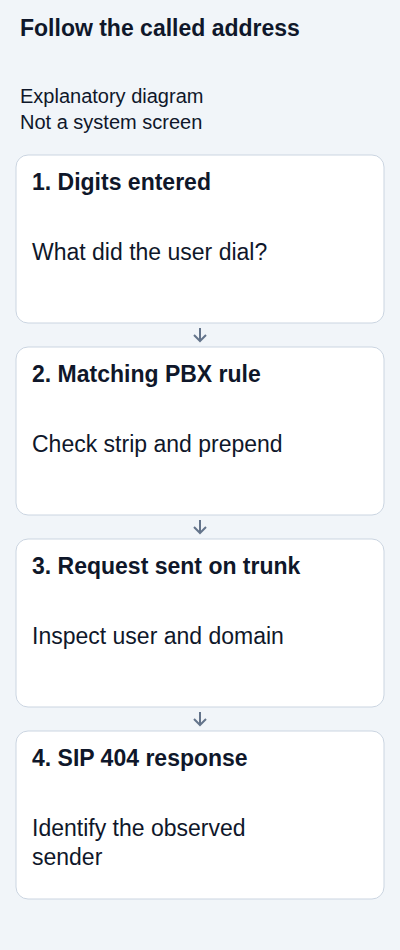
3. Inspect the actual Request-URI
The Request-URI is the address on the first line of the SIP request. Its user part and domain both matter. The following is a deliberately non-routable illustration, not a server or number to copy:
INVITE sip:441234567890@sip.example.invalid SIP/2.0Compare the real request with the intended destination and the current endpoint for your IllyVoIP line. A displayed contact name, Caller ID or To header is not a substitute for examining the routing address. If a PBX has more than one trunk, confirm which one actually carried this attempt.
Use the destination's correct international number format and the format accepted by your configured route. Do not remove a leading zero from every country indiscriminately or assume a locally dialed number will be expanded automatically.
4. Trace every digit transformation
Write down three values: what the user dialed, what the matching PBX rule changed, and what left the trunk. Inspect transformations in order. Common mistakes include retaining an outside-line access digit, stripping the first digit of a country code, adding the country code twice or applying an IllyVoIP package prefix twice.
For a purely illustrative example, an office might use an outside-line digit before a complete international number. Only a rule explicitly matching that office pattern should remove the access digit. A user who already enters the international number must not be sent through the same unconditional stripping rule.
If your routing package uses a technical prefix, obtain its current value from IllyVoIP and confirm where it is applied. It is not a country code and does not bypass package eligibility. Never copy a prefix from an old screenshot.
5. Check rule order and account selection
Review the first rule that actually matches the extension and dialed number. A more general rule can catch the call before the intended one. In a multi-account phone, the line key selected for the call may also choose a different account than expected.
Check whether the PBX treated the number as an internal extension or sent it to an old provider. Preserve incoming-call contexts and source restrictions; routing anonymous incoming requests into an unrestricted outbound context is not a valid repair.
After correcting a route, confirm that only the intended pattern changed. Test ordinary formats used by affected staff, including calls that should continue using another route. Do not replace all outbound rules with one unrestricted catch-all.
6. Compare controlled examples
Use one destination you control and are authorized to call. Compare a successful call and the failed call from the same extension, line and route where possible. Keep the test time and resulting number for each. Normal call charges apply.
If one format succeeds and another fails, inspect the transformation difference before changing credentials. If every destination fails with the same request domain, inspect trunk/account selection. If only one destination remains affected after correct formatting, ask Support to review that specific attempt rather than declaring the number invalid.
A successful call confirms that example. Verify the presented caller ID and two-way audio as well as the final response. Registration success alone is not the acceptance test for an outgoing-route change.
7. Send a precise support request
Provide the public call reference, timestamp/timezone, actual destination privately, device/PBX version, intended trunk and whether the 404 was received from the PBX or observed on the provider leg. Describe any strip/prepend rules and the last relevant change.
Use a reviewed excerpt that includes the request and response. Remove credentials and unrelated customer data before sharing it through the agreed private channel. The SIP Call-ID and IllyVoIP public reference are different identifiers; include both when available.
Frequently asked questions
Should I reset the SIP password? A 404 is not, by itself, evidence of a password failure. Inspect the requested address and responding hop first.
Does changing Caller ID fix 404? Caller ID and the called address are different fields. Check the accompanying evidence and account permissions; changing an unrelated identity can introduce another problem.
What if I see 403, 408 or 480 instead? Keep the actual final result. Those codes describe different conditions and should not be relabeled as a missing destination.
Related guides and references
- My SIP phone is registered, but outgoing calls fail
- Build and test FreePBX dial patterns for an IllyVoIP trunk
- How to Set Up 3CX with Illyvoip
- SIP response codes
- How to Read and Understand Your VoIP Call Reports (CDR)
- RFC 3261: 404 Not Found
Reviewed 10 October 2026 against current IllyVoIP guidance and the official references above. Version-specific commands and menus need to match your installation. This guide does not claim a completed call test on your PBX or network.