
Choose the right record
The transaction ledger explains balance movements: credits increase your balance and debits reduce it. Call history explains individual calls and their usage. Paid invoices are billing documents; an unfinished top-up checkout is not a paid invoice.
Find a transaction
- Open the ledger and select a date range.
- Choose all entries, credits or debits. You can narrow the list by amount or description and change the order and number of rows.
- Apply the filters and check the date, description, signed amount and public transaction reference.
- Use the page controls to continue through matching entries rather than assuming the first page contains everything.
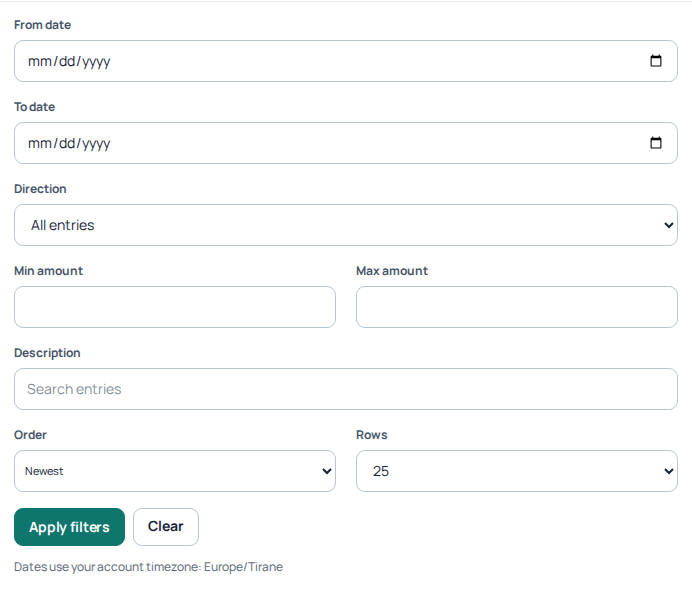
Ledger filters let you choose dates, credit/debit direction, amounts, description, order and row count. The timezone note applies to the account being viewed. No transaction rows, balances or exported financial records are included. Open the image for a larger view.
Understand a refund
A refund is a credit entry, not a second charge. Compare it with the original service charge using the description, time and service record. Similar amounts alone do not prove that two entries belong together. If an expected refund or payment is missing, give Support the public transaction reference and relevant order or call reference.
Export and reconcile
Use Export CSV to generate a report for the filters you selected, then download it when ready. Use the same date range and timezone when comparing reports. Keep exported financial information private.
Find a paid invoice
Open the invoices area for completed payments and available invoice documents. If a payment is still being confirmed, check its payment status before repeating it. For a discrepancy, retain the payment confirmation and transaction reference; never send full card details or payment passwords.
Related guides
- Billing and Payment Options on ILLYVOIP
- How to Read and Understand Your VoIP Call Reports (CDR)
- How to check rates and understand how to use routing plans
A paid top-up and its invoice are different steps
If a confirmed payment is visible but its document says Preparing invoice, do not pay again to obtain an invoice. Return to the invoice record later or contact Support if preparation remains unresolved. A failed or unfinished checkout is not a paid invoice.
Open the relevant invoice and use its available download or print controls. For questions about billing details, provide the public invoice or payment reference through Support; do not assume editing your profile rewrites a historical invoice. When reconciling, distinguish a top-up credit from usage debits, monthly number renewals and separate caller-name update fees. Match the service reference as well as the amount.