
Start with the correct channel
Open Settings → Voice → Fraud control. Review Outbound calls, SMS and Inbound calls separately. Each has its own country policy; changing one does not mean the others match.
Prepare a list of destinations your team actually needs before editing rules. For inbound calls, consider which callers must be able to reach your account or phone numbers.
Choose an allowlist or blocklist
Block selected countries
Use the selected countries as a blocklist for that channel.
Allow only selected countries
Restrict that channel to the selected countries, subject to the other applicable rules.
The portal shows one list at a time to avoid conflicting selections. Review the policy label as well as the countries: the same selection means something different under the other policy.
Example: restrict outbound calls to approved countries
If your team needs to call only two approved countries, select Allow only selected countries in Outbound calls and select both countries. Check prefix rules and the price ceiling before saving, then reopen the policy to confirm. To block only a small set while leaving other permitted destinations available, use Block selected countries instead. Keep a record of the previous policy so an accidental account-level change can be corrected without broadly disabling protection.
Review prefixes and administrator restrictions
Prefix rules are additional restrictions. Matching an allowed prefix does not override country rules, matching blocked prefixes or administrator restrictions. Review all applicable rules for the selected channel.
SMS has a separate prefix field, and inbound calls has a caller-prefix field. Follow the format shown in the current portal rather than copying a rule from another channel.
Some blocks are enforced by IllyVoIP
Administrator-enforced restrictions cannot be removed or enabled through your account’s Fraud Control screen. Contact support if you need the restriction reviewed; changing your country list does not override it.
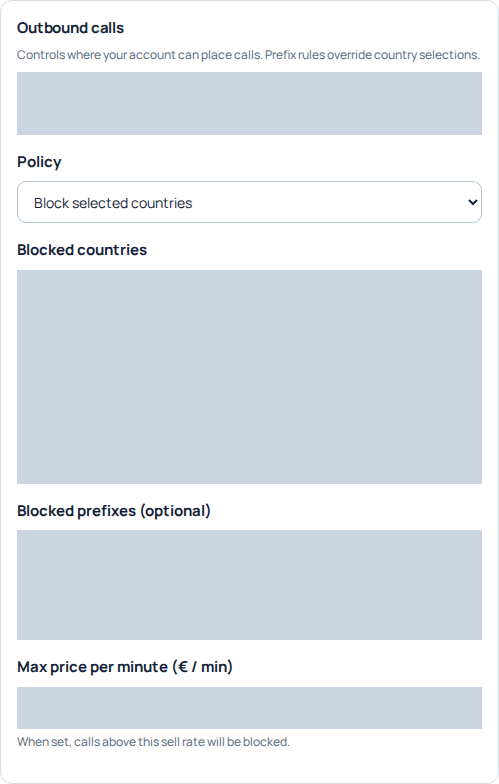
Outbound calls separates the country policy, prefix restrictions and maximum per-minute price. Account-specific restrictions and values are hidden. This is a view of existing controls, not a recommended policy; no settings were saved. Open the image for a larger view.
Enter prefixes without accidentally blocking useful traffic
- Open the channel you intend to change. Outbound calls and SMS evaluate destination numbers; inbound rules concern incoming callers.
- In Allowed prefixes (optional) or Blocked prefixes (optional), enter one prefix per line using digits only. Use the international country code and the following digits you intend to match, without a plus sign, spaces or a dialing-access prefix such as 00.
- Review the breadth of every prefix. An illustrative prefix
44is much broader than4420; neither is a complete phone number. These examples describe matching, not recommended restrictions. - Check the country policy as well. Matching an allowed prefix does not exempt a number from a country restriction, a blocked prefix or an administrator restriction.
- Save changes, wait for confirmation, then reopen the settings to check the saved lists.
A nonempty allowed-prefix list adds a requirement: the number must begin with one of its entries. Leaving that list empty removes this additional prefix requirement; it does not remove the country policy. A matching blocked prefix still blocks a number even when it also matches an allowed prefix. For example, allowing 44 and blocking 4420 does not allow the narrower blocked range. Do not use a more specific allowed prefix as an exception to a broader blocked prefix.
Review empty lists and separate channels
Allow only selected countries with no countries selected permits no countries. An empty country blocklist has a different meaning: it adds no customer-selected country block, while other applicable restrictions remain. Decide which behavior you want before saving.
For example, a team might need outbound voice calls to two countries but SMS to just one. Configure those lists in their respective sections. For inbound calls, review the countries or prefixes of callers who need to reach you, rather than copying the countries where your own phone numbers are located. An incoming caller's number is not proof of that person's identity.
Understand the maximum price per minute
Outbound calls has a Max price per minute (€ / min) field. When set, calls above that sell rate are blocked.
This is a per-minute rate threshold, not a daily spending limit or a maximum total call charge. Check current destination pricing and billing increments when choosing a value.
Choose a rate ceiling with a concrete example
Suppose your approved outbound ceiling is €0.05 per minute. Enter 0.05 in Max price per minute (€ / min). A quoted sell rate of €0.06 exceeds it; €0.05 does not exceed it. Other calling requirements still apply at or below the ceiling. These are illustrative prices, not IllyVoIP rate quotations.
To remove this optional rate ceiling, clear the field and save. Zero is not a valid way to switch it off. Removing the ceiling increases the range of rates your account may use, so review that decision deliberately. A ten-minute call can cost more than the entered per-minute value, and billing increments or applicable connection charges are separate. If the price cannot be checked, do not treat that uncertainty as confirmation that the call is allowed.
Choose the response to a rejected call
In Settings → Voice → Call handling, Call failure handling offers a SIP error with no audio, or a local audio prompt followed by hangup. This applies when caller-ID or fraud-control checks reject an outgoing call before it reaches providers.
This setting changes the caller’s experience of those rejections. It does not change the underlying rules or provider-side failure responses.
Save deliberately and investigate the result
Review all affected channel policies, country selections, prefixes and the outbound rate threshold before selecting Save changes. Arrange any required traffic tests with the people who use the account.
Recent Fraud Control activity lists results, details and the last occurrence. If traffic is blocked unexpectedly, compare that entry with the selected channel, destination and current price. Avoid disabling restrictions broadly to investigate a single destination.
For support, include the affected channel, destination, time and timezone, relevant call or message reference and the reported reason. Rules help control traffic; they do not guarantee that all fraud will be prevented.
When the policy or activity cannot load
If the page says the Fraud Control settings are unavailable, wait and reload before editing: a failed load is not an empty policy. If only an activity source is unavailable, the page explains that normal Portal actions are not blocked by that activity-display error. Neither condition proves that restrictions have been removed. If another person changed the policy while you were editing, reload and reconcile the current values before saving again.
Reviewed 10 October 2026 against the current IllyVoIP Portal and service implementation. Available controls depend on account access and service state.